
AI Bonsai Design Generator
Bonsai is the slowest design process there is: a branch removed is a decade gone, and you only find out whether the tree wanted to be an upright or a cascade long after the cut. This AI bonsai design generator turns a styling description into a finished tree photographed on a real bench in about thirty seconds — formal upright, cascade, windswept on a rock, a maple forest group, a flowering azalea and a close-up of the bark itself.
Design a Bonsai FreeTry the AI Bonsai Design Generator — Free
Pick a style, then use the box for what is specific to your tree — the species, the finished height, how the trunk bends and tapers, where the first branch leaves it, how much deadwood is exposed, the pot shape and clay, and what the tree stands on. Each preset already carries the camera height that keeps the lens level with the pot, the decay detail that stops foliage looking moulded, and the itemised ban on labels, scrolls and potter's marks that produced the six pictures below.
AI Bonsai Design Generator
Choose a style, name your species, trunk line and pot, and get a photorealistic bonsai shot on a real bench. Up to 4K.
Six Trees From the AI Bonsai Design Generator, Shown Exactly As They Came Back
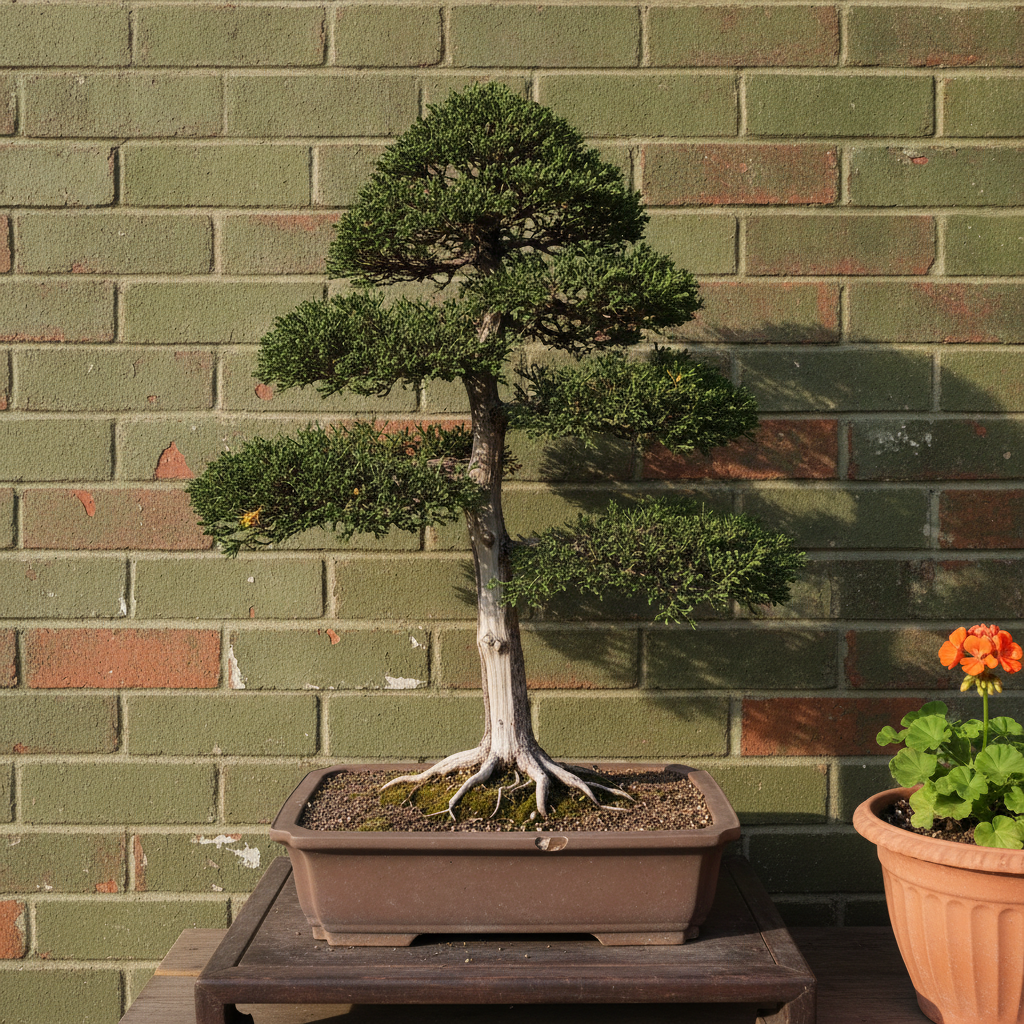
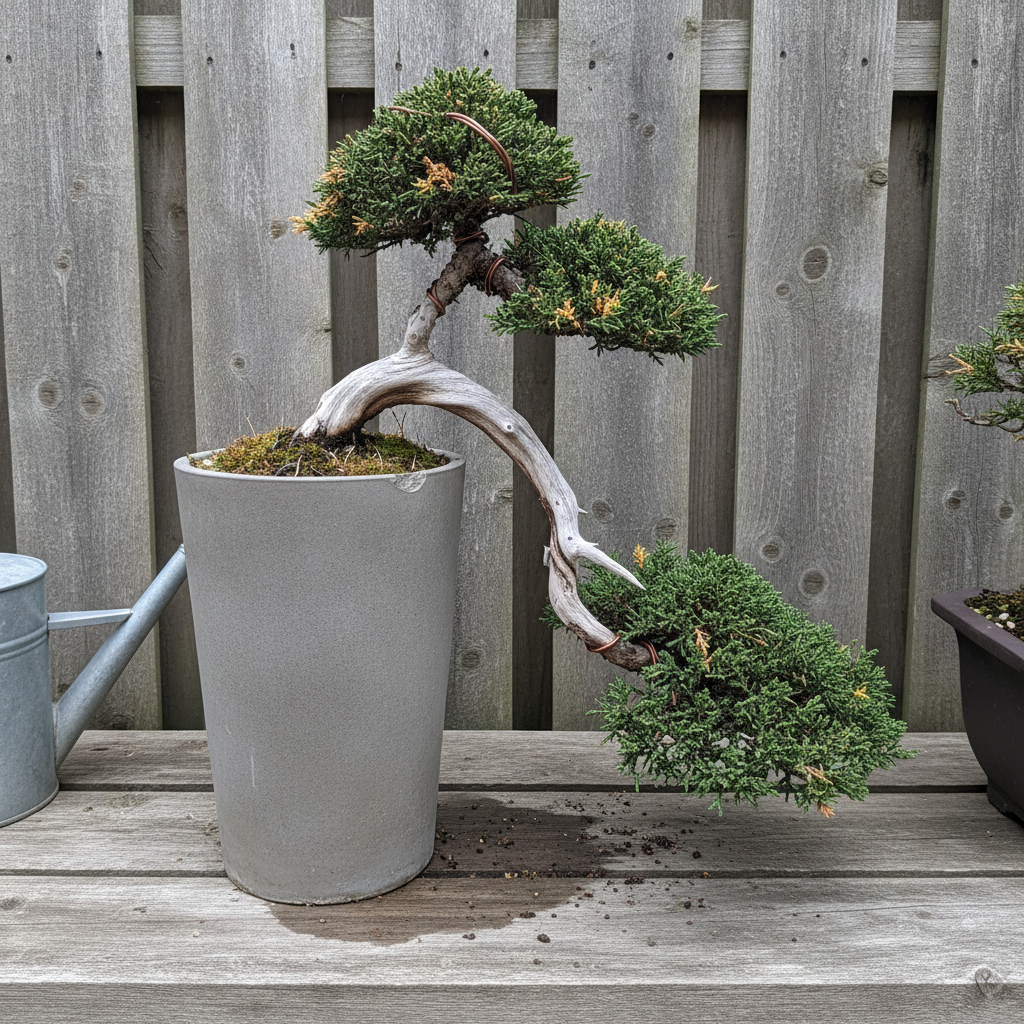
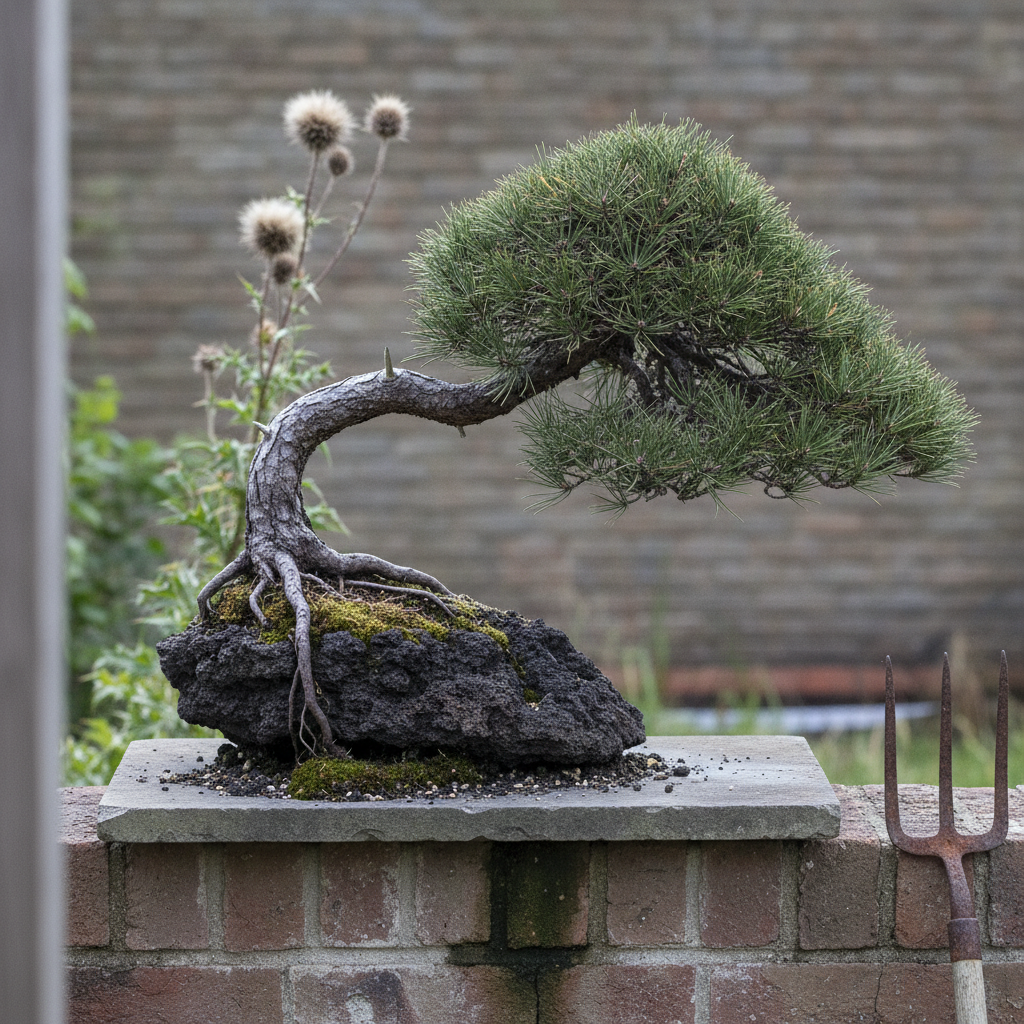
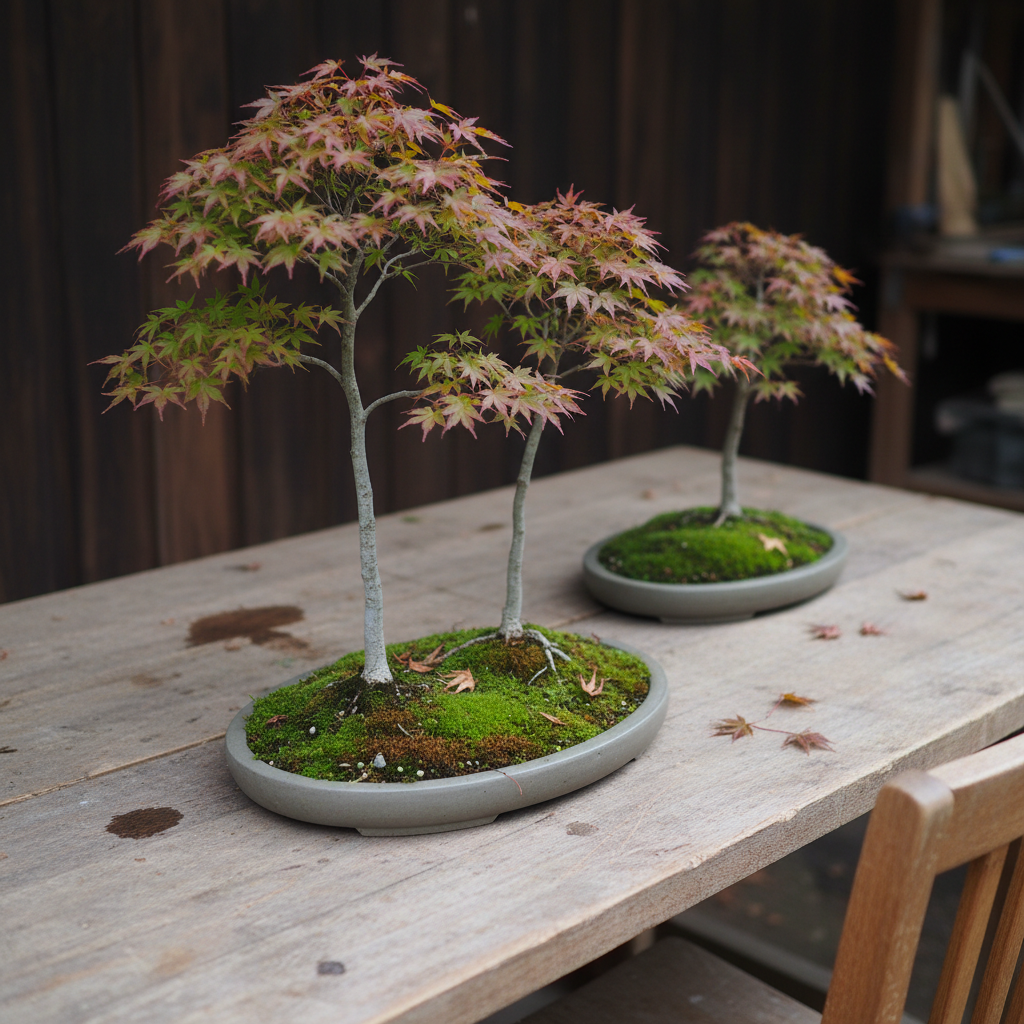
Nothing here was retouched and nothing was run twice. The captions say what the prompt asked for, what arrived and what drifted — which styles the model actually knows, where it tidies a tree into a nursery specimen, and what happens when a trunk is told to fall below the foot of its pot.
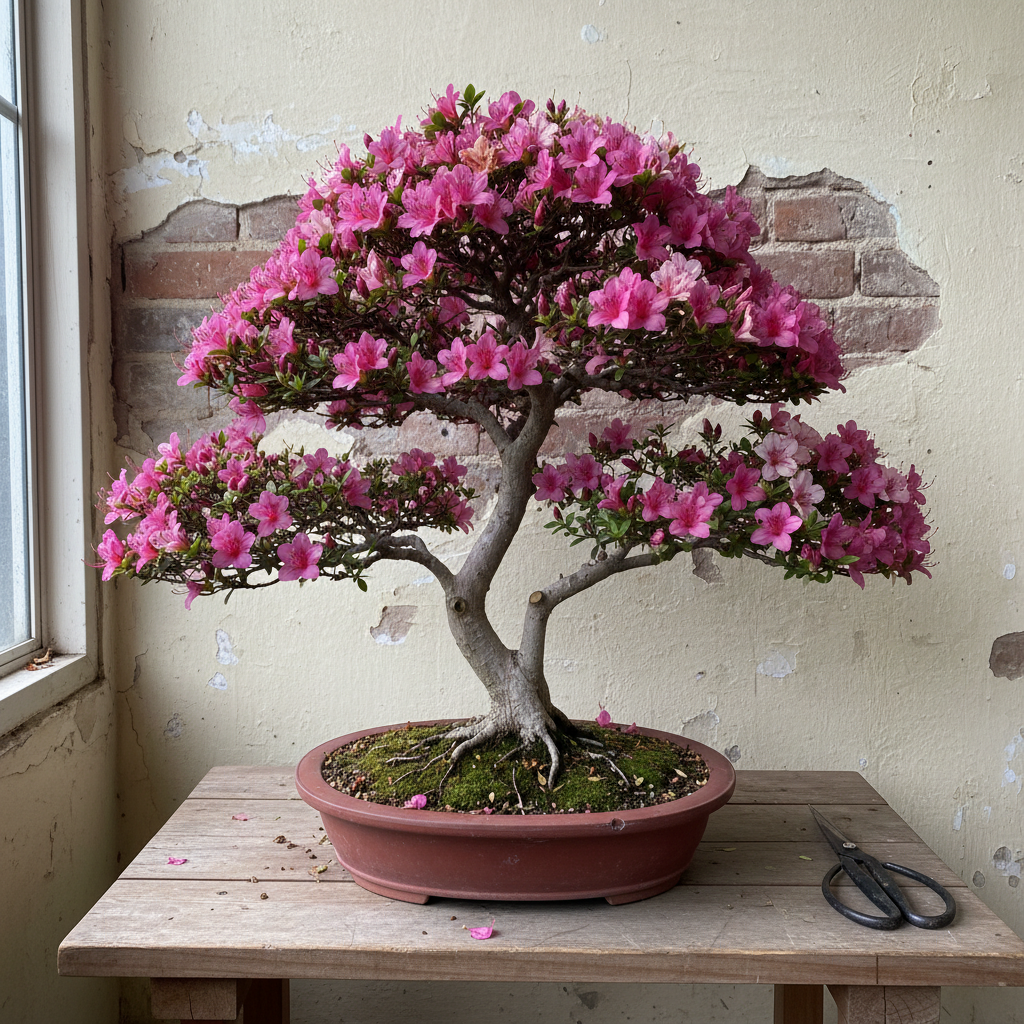
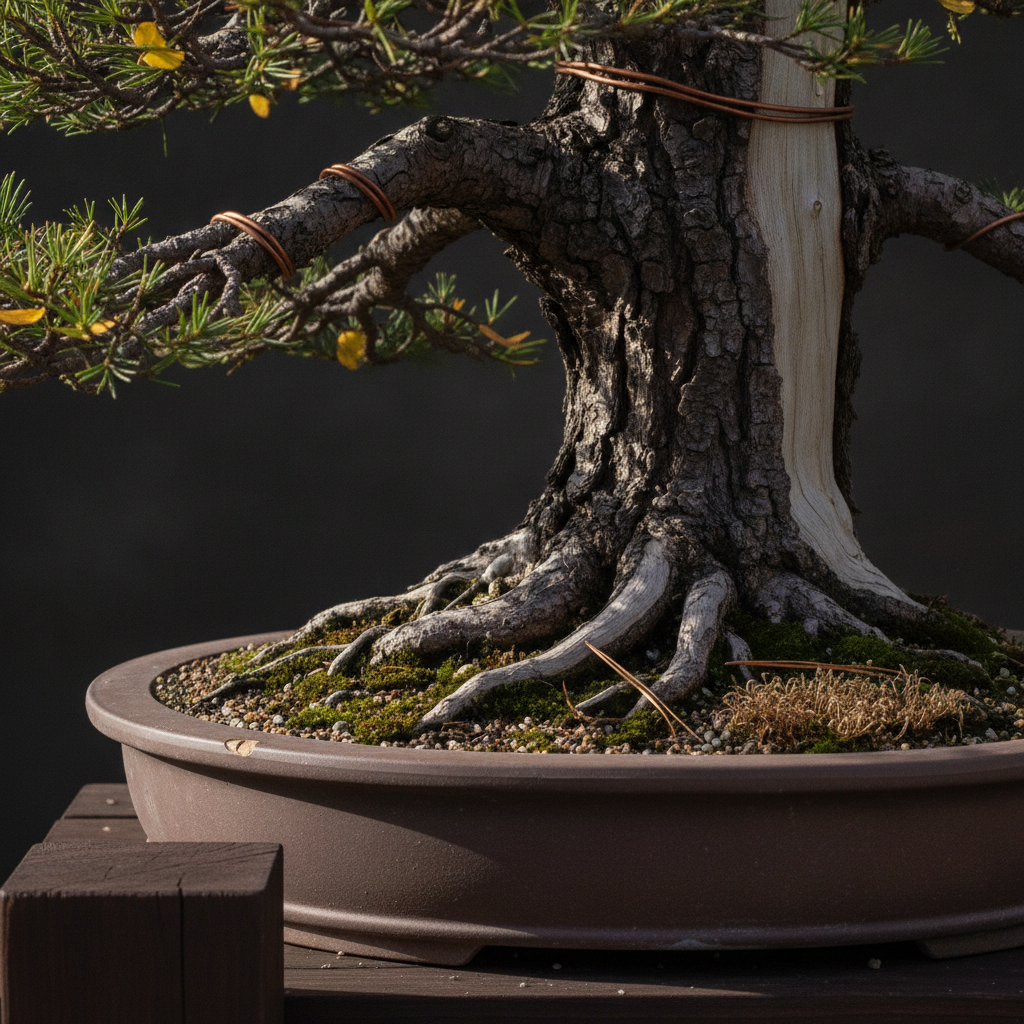
What the AI Bonsai Design Generator Gets Right and Wrong
Bonsai is a small tree asked to look like an old one, standing in a pot that is usually photographed from above and sold with a label tied to it. Almost everything learned from this run comes out of those three facts.
Six pots, not one potter's mark
All six frames are free of invented lettering, checked at full zoom on the pot faces, the rims, the bench boards and the brickwork. That is worth noting because a bonsai pot is a signed object in real life — the potter's chop is pressed into the clay or the foot — so the model has a strong reason to invent one. Naming the chop mark, the seal and the stamp as separate carriers, then describing the pot positively as plain bare clay unmarked from rim to foot, cleared every frame. Labels, nursery tags and the calligraphy scroll a display alcove would carry were refused the same way.
One wire becomes four or five
Two frames asked for a single copper training wire on one named branch. One came back with five wires and the other with four, each neatly coiled on a different branch. This is the counting rule in its weakest form: the wire is not a structural part of the tree but a repeatable decoration, and repeatable decorations multiply to fill the available branches. If exactly one wire matters, say which branch and say that every other branch is bare.
A group planting splits its container
The forest group asked for three maples on one flat oval slab. What arrived is two trunks on the near slab and the third in a separate pot behind it. The trees, the heights and the depth of the arrangement were all right; only the vessel divided. It is the same failure as a wide media unit growing a partition — when named parts sit far apart, the model supplies a second container to hold the far one. Say that the slab is a single unbroken piece and that every trunk rises from it.
Pads merge, and the camera stayed down
The windswept pine asked for three ragged pads on one side of the trunk and came back with one continuous canopy; the azalea asked for a single broad dome and came back with three stacked pads. Foliage mass drifts towards whatever is typical for the species, whichever direction that is from what you asked. The camera, by contrast, held: a small tree in a wide shallow dish is a strong pull towards an overhead shot of the soil, and the stated seated height plus the near rim reading as an almost straight line kept all six frames at tree level.
Named damage is what buys the age
The details that make these read as photographs are all specific and all small: a chip in the pot rim, bark lifting loose along one edge, moss dried pale brown where it meets the clay, spent azalea flowers shrivelled on the bench, a watering ring stained into the boards, soil spilled where the pot was last watered. The looser asks — handmade unevenness, a slow trunk taper — were quietly tidied in almost every frame. A general request for an old tree produces a clean nursery specimen.
The background decides whether it is a photograph
The three strongest frames all stand against something broken: brick painted moss green and flaking back to red, lime plaster crumbled away to the brick beneath, split grey fence boards. The weakest realism in the set is the one frame whose background is simply dark and smooth. This matches every run in this series — damage beats texture, because a moulding or a clean board is a shape the model draws perfectly, while a broken edge is not.
How It Works
Pick the style
Six presets: a formal upright juniper with clipped pads and a deadwood strip, a cascade juniper whose trunk falls below the foot of its pot, a windswept black pine planted on a lava rock, a three-trunk maple forest group on a flat slab, a flowering satsuki azalea in full bloom, and an extreme close-up of bark, surface roots and deadwood. Each already carries the camera height, the decay detail and the text ban.
Add your species, trunk and pot
Put the specifics in the box: the species, the finished height, how the trunk bends and where it tapers, which side the first branch leaves it, how the foliage pads are spaced and whether you can see daylight between them, how much bare deadwood is exposed, and the pot — shape, depth, clay or glaze. The pot and the thing the tree stands on are what give a bonsai its scale, so they matter as much as the species.
Check it, then download
About thirty seconds later you have the tree. Before you judge it, check three things on a zoomed crop: is the trunk line actually the line you described or has it been straightened, have the pads kept the gaps you asked for or closed into one solid canopy, and has any mark crept onto the pot or any letterform into the bark. Then download at up to 4K.
Writing a Prompt That Produces a Believable Bonsai
Four habits that separate a tree you could actually style from one you regenerate, all learned from the six results above.
Describe the trunk line, not the style name
A style name on its own is weak; the name plus the shape it makes is strong. A trunk that rises almost straight with a slow taper and pads stacked smaller towards the top. A trunk that leaves the soil, turns hard right and falls below the foot of the pot. Branches all driven to one side with the other side of the trunk left bare. Said that way the silhouette arrives, where Japanese style names alone tend to collect into the same generic nursery tree.
Keep the lens level with the pot
A small tree standing in a wide shallow dish is a strong pull towards an overhead shot of the soil. Stating a seated eye height in centimetres, saying the near rim of the pot should read as an almost straight line rather than an oval seen from above, and putting something solid in the immediate foreground cut by the frame edge are what keep the camera down where a tree is actually judged from.
Ban the label, the scroll and the chop mark
Bonsai carries writing in real life: a potter's seal pressed into the clay, a nursery label in the soil, a calligraphy scroll in the display alcove. A general no-text instruction is measurably weaker than refusing those carriers one at a time and then describing the pot positively as plain bare clay, unmarked from rim to foot. Bar the word as a shape too — in the branch gaps, in the bark fissures, in the roots.
Age the tree with named damage
Age is the whole point of a bonsai and it is the first thing a model smooths away. Name the decay in specific places: bark lifting loose along one edge, a sealed pruning cut healing over, a strip of deadwood polished silver, moss dried brown where it meets the rim, a chipped pot, soil spilled on the bench. A worn background — flaking painted brick, crumbled plaster, split boards — does more for realism than any amount of foliage detail.
Who Uses an AI Bonsai Design Generator
Growers deciding where to cut
The one irreversible decision in bonsai is which branch becomes the apex and which goes in the bin. Seeing the same trunk rendered as an upright, a slanting tree and a cascade before the saw comes out costs ten minutes against a decade of regrowth.
Anyone pairing a tree to a pot
Pot depth, colour and glaze change a tree completely, and a good pot costs more than the tree in it. Generating the same styling in an unglazed brown rectangle, a shallow blue-grey oval and a tall cascade pot settles the argument before any money moves.
Beginners learning the classical styles
The style names are easier to see than to read about. Six pictures of the same idea in six styles, with the trunk line described in plain words underneath, is a faster introduction than a chapter of diagrams.
Nurseries and sellers making listings
A young tree in a plastic training pot is a hard thing to sell. A generated image of the design it is heading towards, used alongside the honest photo of what it is now, explains the price far better than a description does.
Clubs, teachers and workshop hosts
A styling workshop needs a target image before anyone signs up, and photographing one means owning a finished tree. A generated example covers the listing and the handout while the real demonstration material is still in a crate.
Illustrators and set designers
A bonsai is shorthand for patience in a scene, and the one in the background has to look old rather than like a houseplant. Generating it with named deadwood, bark plates and a weathered pot gives a reference that reads correctly at a glance.
AI Bonsai Design Generator FAQ
Related Garden Tools
AI Zen Garden Design Generator
Raked gravel, bedded rocks and moss — the setting a bonsai bench usually sits beside. Generate both if you are planning the corner rather than just the tree.
AI Pottery Design Generator
Worth running alongside if the pot is the undecided half. Shape, foot, rim and glaze designed on their own, then described back into a bonsai prompt.
AI Flower Arrangement Generator
The same compositional problem — line, mass and empty space in a shallow vessel — solved with cut stems instead of a trunk that takes twenty years.
See the Tree Before You Make the Cut
Six styles — formal upright, cascade, windswept on rock, a maple forest group, a flowering azalea and a bark close-up — each photographed with your species, your trunk line and your pot, in about thirty seconds. Up to 4K. Free to start, from $2.99.
Design a Bonsai FreeAn AI Bonsai Design Generator for Trunk Lines, Pads and Pots You Can Actually See
Bonsai is the one design discipline where the feedback loop is measured in growing seasons. A branch cut off is gone for a decade, a trunk wired into the wrong curve sets that way, and the single decision that makes or breaks a tree — which line the trunk tells and which branch becomes the apex — has to be made while the tree still looks like nothing in particular. That is the gap an AI bonsai design generator fills. Describe the material you have and the style you are considering for it, and about thirty seconds later you have a photograph of that tree finished, standing in a pot, on a bench, in real light. Every preset on this page is written that way, and the six results above are published exactly as they came back, drifts included.
The six styles cover the decisions people actually face. A formal upright juniper with a slow taper, clipped foliage pads and a strip of polished deadwood up the trunk. A cascade whose trunk leaves the soil, turns hard and falls below the foot of a tall narrow pot. A windswept black pine gripping a lava rock, every branch driven to one side. A three-trunk Japanese maple forest group on a flat oval slab, planted so the grove reads as having depth. A satsuki azalea in full flower, which is the hardest thing to judge in advance because the tree spends most of the year looking like something else. And an extreme close-up of bark plates, spreading surface roots and silvered deadwood, for anyone who wants to see what age is actually made of before trying to fake it on a young trunk.
Bonsai turns out to be a demanding subject for an image model for two specific reasons. The first is the camera. A small tree in a wide shallow dish pulls the lens upward into an overhead view of the soil, which is the one angle from which a bonsai cannot be judged at all, so every preset states a seated eye height in centimetres, asks for the near rim of the pot to read as an almost straight line rather than an oval, and puts something solid in the immediate foreground cut by the frame edge. The second is text. Real pots carry a potter's chop mark, real benches carry nursery labels and real displays carry calligraphy scrolls, so the model is primed to invent all three; refusing each carrier by name and describing the clay positively as plain and unmarked works far better than asking for a picture with no writing in it.
The rest is detail that any tree prompt benefits from. Trunk lines should be described as movement — rises, turns, leans, falls — rather than named in Japanese and left there. Foliage should be asked for as separate pads with daylight visible between them, because the default is one solid moulded canopy. Scale should be set by the pot and by what the pot stands on. Age should be named as damage in particular places, since a general request for an old tree produces a clean nursery specimen every time. And the background should be worn — flaking painted brick, crumbled lime plaster, split fence boards — because a perfect tree against a plain pale wall is the most catalogue-like image this model knows how to make. Within those limits an AI bonsai design generator is a genuinely useful twenty minutes to spend before a cut you cannot take back.