
AI Flash Filter
The 2007 digicam look is back — the one where a built-in flash fires straight at your face, the skin goes bright and shiny, the background drops to pitch black, and a little orange date sits in the corner. Phone cameras spent fifteen years erasing that harshness, and now everyone wants it again. This AI flash filter rebuilds the whole effect on top of a normal photo: upload a clean modern shot and it adds the hard direct flash, the blown highlights, the deep shadow fall-off and the low-res compact-camera grain in about ten seconds — or type a scene and generate the look from scratch. It runs on Nano Banana Pro, so it reads your actual photo instead of slapping a preset overlay on top.
Try the AI Flash Filter — Free
Upload a photo and pick a flash style, or switch to text mode and describe the moment. Your 2007 digicam shot comes back in about ten seconds at up to 4K.
AI Flash Filter
Upload a photo to give it the 2007 digicam flash look, or generate the look from a text prompt
Upload a photo, choose a flash style, then add any detail — or switch to text-to-image to generate the look from scratch
The 2007 Digicam Look, Rebuilt by AI
Portraits, parties, mirror selfies and night shots — each one run through the AI flash filter for that hard direct-flash, deep-shadow, date-stamped snapshot feel
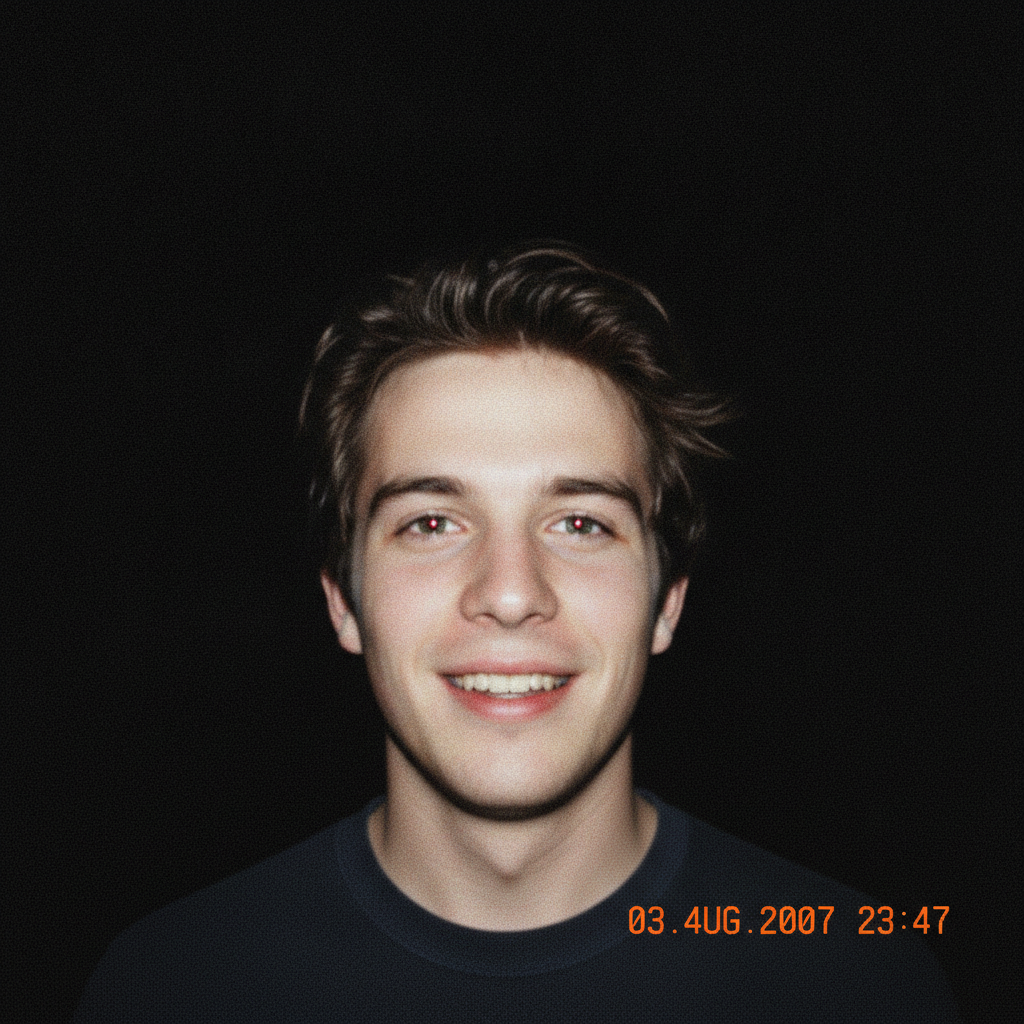
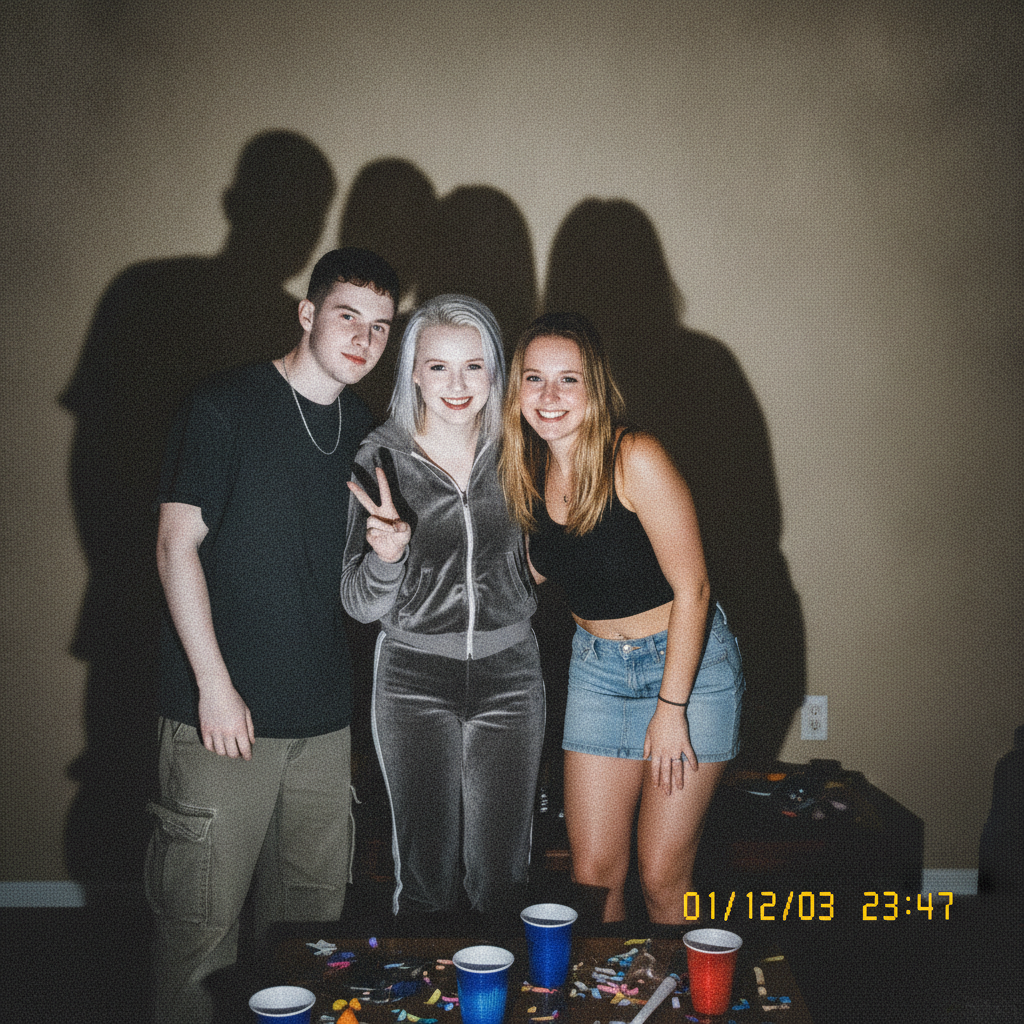
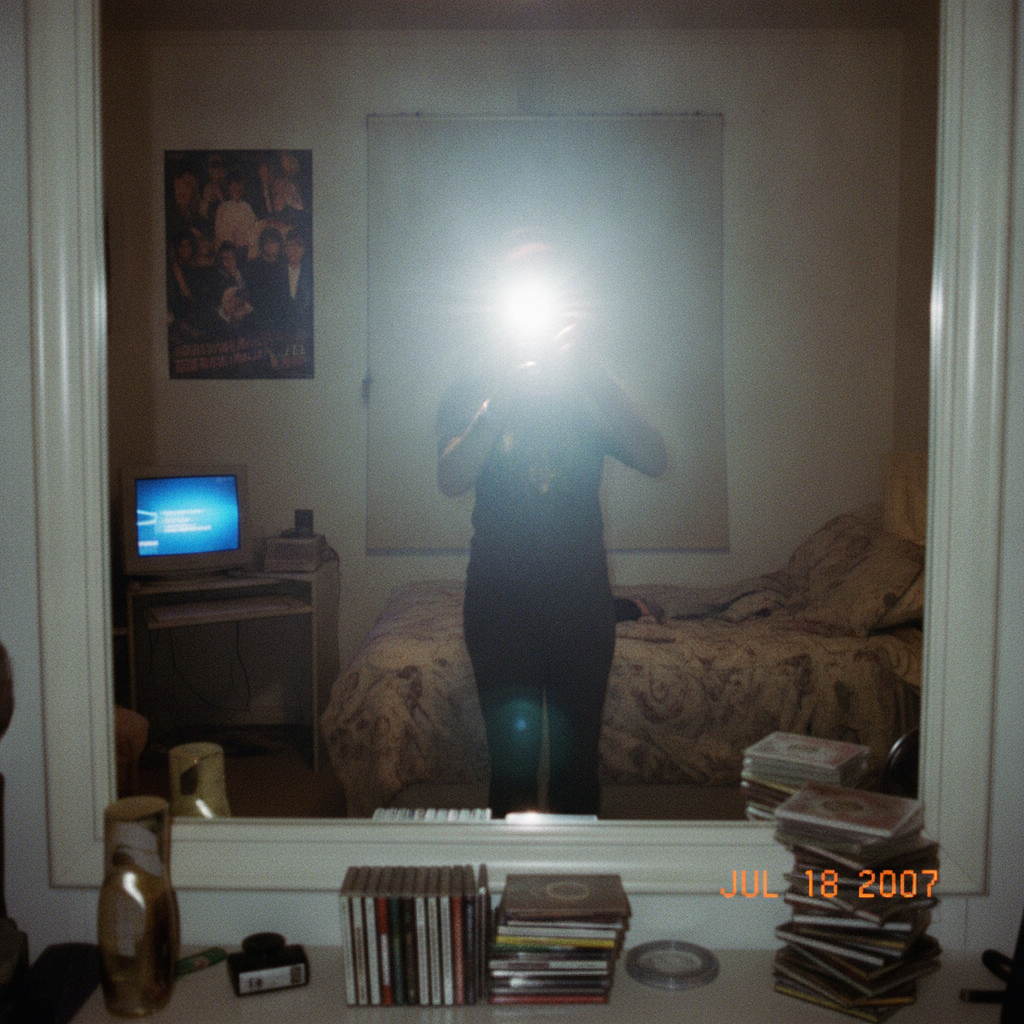
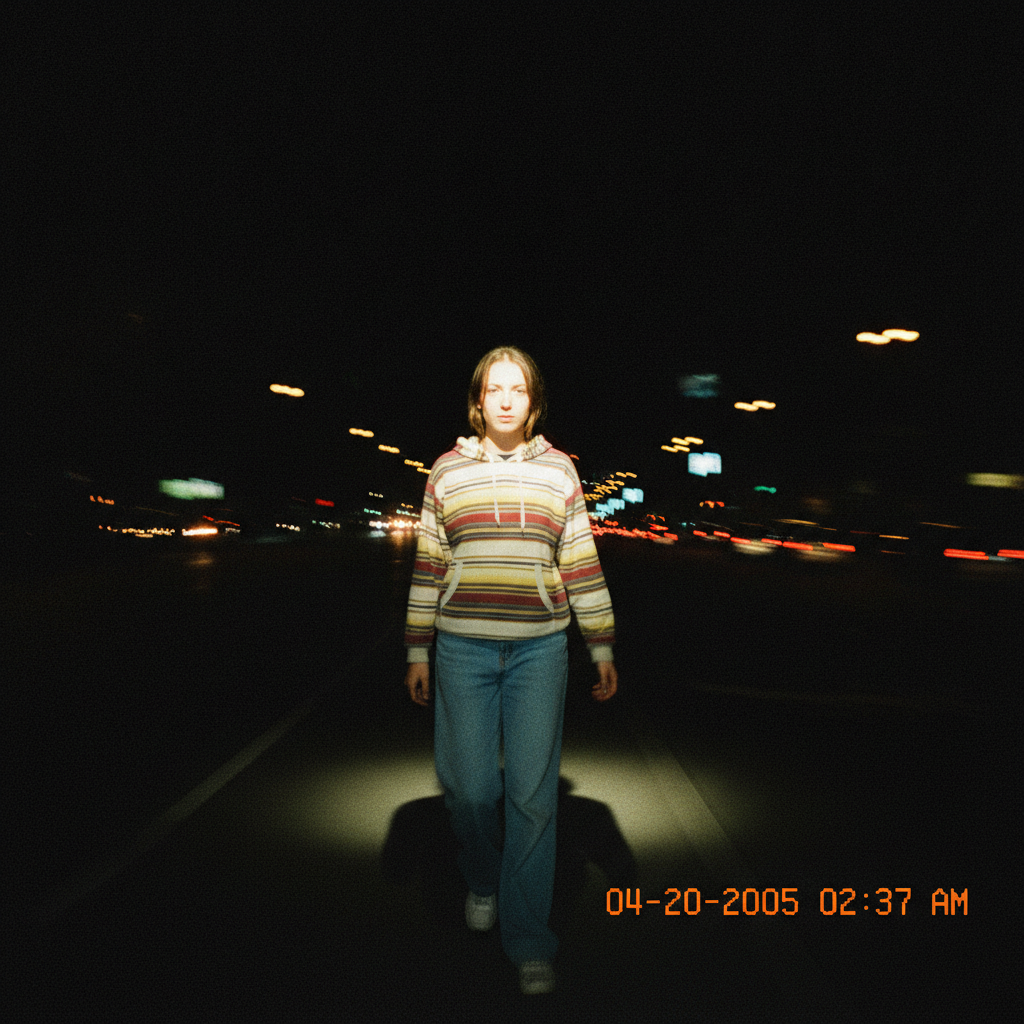

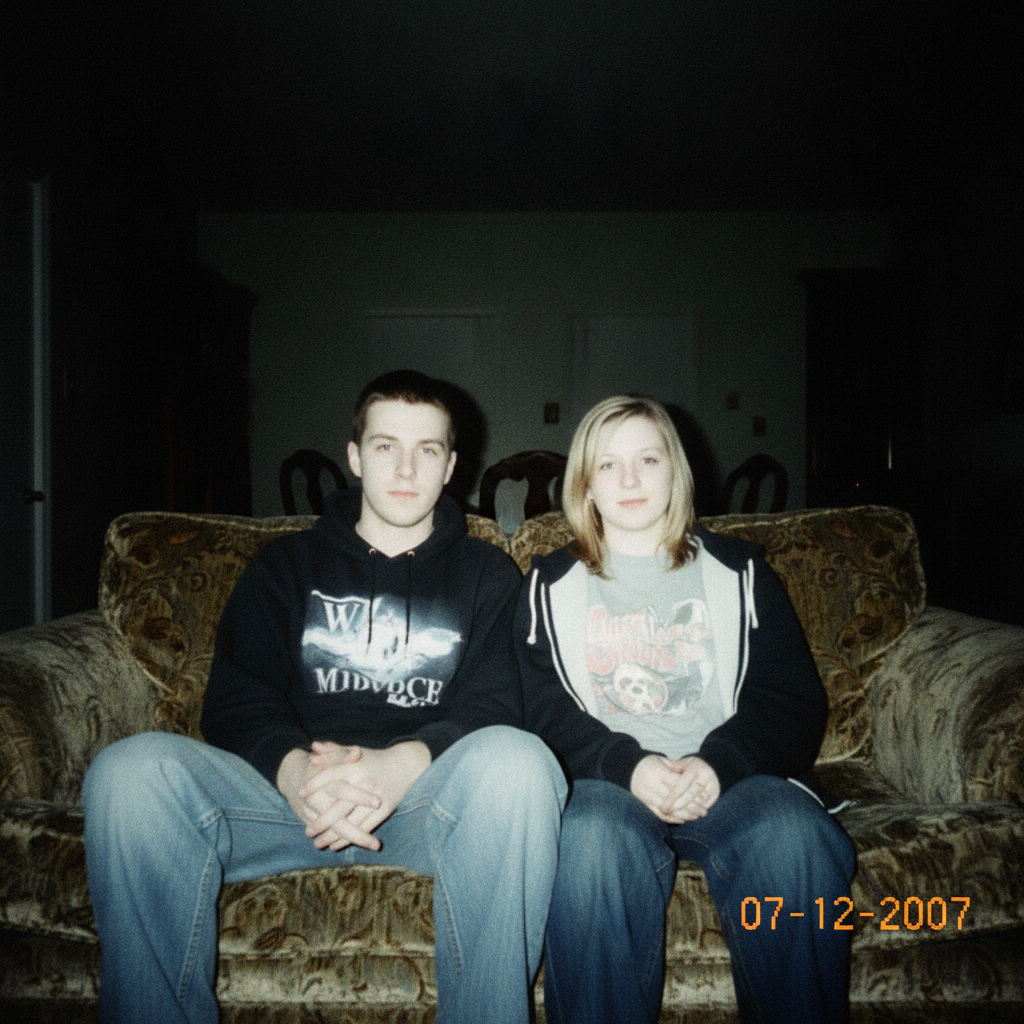
How to Use the AI Flash Filter in Three Steps
From a clean modern photo to a 2007 digicam snapshot
Upload or Describe
Drop in a photo you want to give the flash look — a selfie, a portrait, a group shot — at the highest resolution you have. No photo handy? Switch the tool to text-to-image and simply describe the scene, like "two friends at a house party at night", and the filter builds the digicam shot from scratch. No account needed to try your first one.
Pick a Flash Style
Choose how hard the flash should hit: a straight-on direct flash portrait, a dark night-party snapshot, a mirror-selfie glare, a date-stamped point-and-shoot, a washed-out Y2K look, or a harsh group shot. Add a short note in the details box to keep an outfit, set the mood, or ask for the orange date stamp in the corner.
Generate and Download
Your 2007 digicam photo comes back in roughly ten seconds at up to 4K, watermark-free and ready for Instagram, a profile picture or a throwback post. Want it harsher, grainier, or darker in the background? Nudge the wording and run it again — each pass reinterprets the photo rather than repeating the last result.
Why This AI Flash Filter Beats a Preset Overlay
Six reasons the digicam look actually convinces
Real Flash Physics, Not a Sticker
A canned filter just dims the corners and drops a grain layer on top, which is why those edits never quite pass. This AI flash filter actually relights the scene: the subject nearest the lens gets the hard blast of light and the shiny overexposed skin, while everything behind them falls into true shadow the way a weak built-in flash really behaves. The light follows the shape of your photo instead of sitting flat on top of it.
Keeps Your Face Recognizable
The whole point of a throwback selfie is that it is still you. Every preset is written to hold onto your face, pose and outfit while changing only the lighting, color and texture. You get the 2007 harshness — the flat flash, the washed skin, the red-eye hint — without the tool quietly reshaping your features or turning the photo into a stranger.
That Deep Background Fall-Off
The signature of a cheap digicam flash is the way the room behind you vanishes into near-black while you glow in front. Modern phone cameras fight hard to keep that background visible, so you can never get the look by just posting a normal shot. The filter deliberately crushes the background shadows and blows the near highlights, rebuilding the exact contrast curve that made those old party photos look the way they did.
Date Stamp and Grain on Demand
The little details sell it: the orange date-and-time stamp burned into the corner, the fine sensor noise, the slight compression softness and the washed-out color cast of an early memory card. Ask for them and the filter adds them in a way that sits inside the image rather than floating over it, so the photo reads as genuinely dug out of a 2007 camera, not decorated after the fact.
Upload or Generate From Text
Have a photo you love? Upload it and give it the flash treatment. Starting from nothing? Switch to text mode and describe the scene — a night out, a mirror selfie, friends on a couch — and the tool builds the whole digicam snapshot for you. One tool covers both the "make my photo look vintage" job and the "invent a throwback that never happened" job.
4K, Watermark-Free, From $2.99
Your flash photo exports at up to 4K with no watermark, so it looks right whether it lands on a phone screen or a printed photo wall. The first ones are free with no credit card, and paid plans start at $2.99 when you want to run a whole camera roll through the look — far less than any subscription photo app charging monthly for a single filter pack.
Frequently Asked Questions
Common questions about the AI flash filter and the 2007 digicam look
Make Any Photo Look Like 2007
Upload a shot or describe a scene and the AI flash filter adds the hard direct flash, blown highlights, deep shadows and date stamp of an old digicam. 4K, watermark-free, powered by Nano Banana Pro. Free to start, plans from $2.99.
The AI Flash Filter and the Return of the Digicam
For about a decade, every camera company and phone maker worked on the same problem: how to make the flash less ugly. Softer light, smarter exposure, computational tricks to lift the shadows and tame the highlights — all of it aimed at making your snapshots look clean and flattering. Then a strange thing happened. A generation that grew up on those perfect phone photos decided the clean look was boring, and went looking for the exact harshness the industry had spent years deleting. The flat direct flash, the blown-out skin, the pitch-black background, the orange date stamp — the 2007 digicam aesthetic became the thing to post. This AI flash filter exists to give you that look on demand, without hunting down an old camera and a working memory card reader.
The reason a normal filter never nails it is that the digicam look is about light, not color. A cheap built-in flash fires one hard burst straight down the lens axis: whatever is closest gets scorched bright, and because the flash is weak, everything a few feet back receives almost none and sinks into shadow. You cannot fake that by darkening the edges of a modern, evenly-lit photo. Nano Banana Pro reads your actual image and relights it — rebuilding the fall-off, the shiny skin, the red-eye hint and the low-resolution grain — so the result behaves like a real flash photo instead of a decorated one.
One Tool for Throwbacks and Invented Memories
Most people reach for the AI flash filter in one of two ways. The first is to transform a photo they already have: a recent selfie, a group shot from a night out, a portrait that looks too polished. Upload it, pick a flash style, and it comes back looking like it was shot on a point-and-shoot the year the iPhone launched. The second is to generate the look from nothing — switch to text mode, describe a scene like a crowded house party or a bedroom mirror selfie, and the tool invents a believable 2007 snapshot of a moment that never happened. Both routes land on the same convincing digicam aesthetic.
Start free with no account: run a few of your own photos through the flash filter, judge them at full zoom, and only move to a paid plan from $2.99 when you want to push a whole camera roll through the look or export at 4K again and again. Everything comes back watermark-free and cleared for personal and commercial use, so your throwback photos go straight to Instagram, a profile picture, a group chat or a printed photo wall. If the first result is too clean, ask for it harsher, grainier or darker in the background and generate again — each pass reinterprets the image rather than repeating the last one, so you can dial the 2007 digicam feel in exactly as hard as you want it.