
AI Luggage Tag Generator
Debossed tan leather on a waxed-canvas duffel, engraved brass on a vintage trunk, a bright turquoise acrylic tag on a straw beach bag — this AI luggage tag generator shows you the tag already strapped to the bag, with the name actually readable on it. Type a name, pick a material, and get a leather, brass, acrylic, woven fabric, letterpress card or stamped-leather macro design. Everything downloads at up to 4K with no watermark.
Try It Now — Free
Type a name in the box, choose a tag material and click Generate. Short names render most cleanly, so the AI luggage tag generator is at its best with one name per tag — the way a bag tag is actually read, at a glance, from the far side of a carousel.
AI Luggage Tag Generator
Type a name, pick a tag material, and generate your luggage tag in seconds
Luggage Tags Made With This Generator
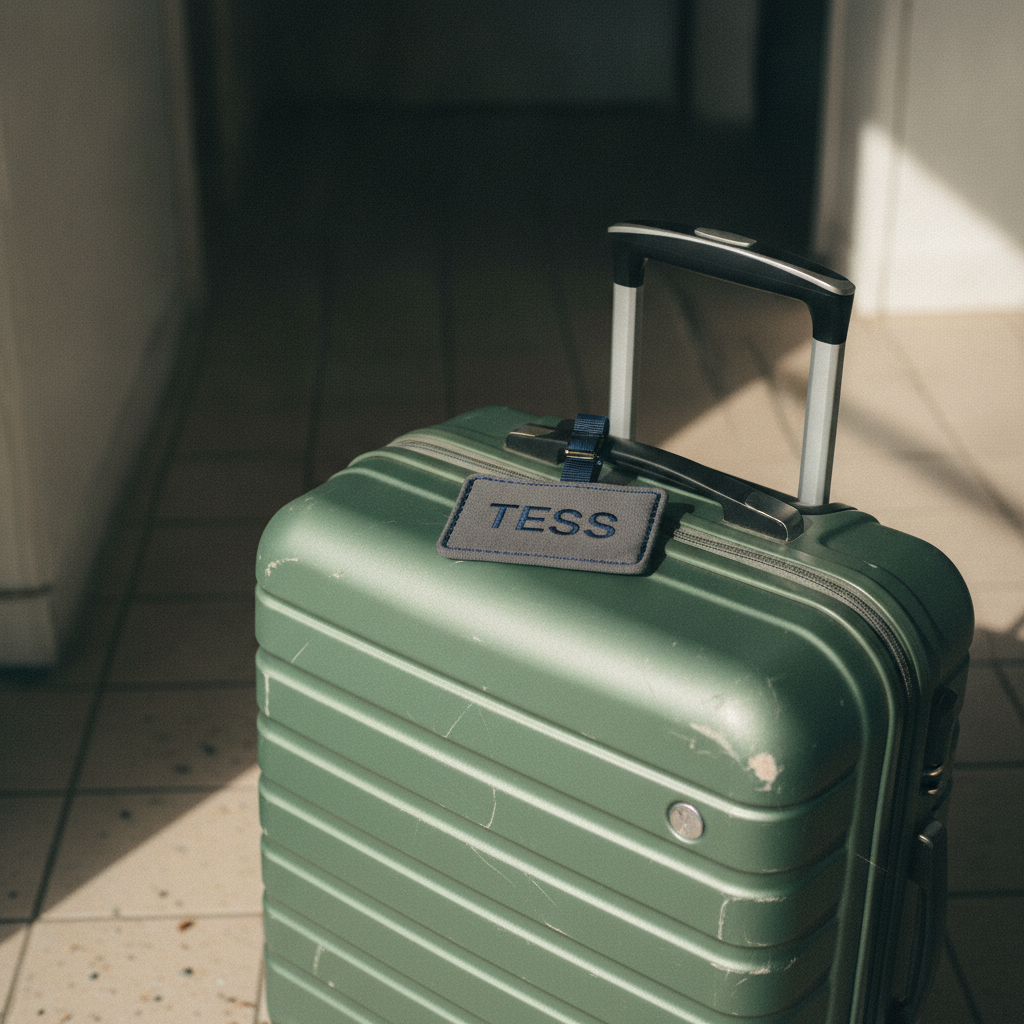
Six tags straight out of the tool above — debossed leather on waxed canvas, engraved brass on a steamer trunk, painted acrylic on a straw bag, embroidered fabric on a hard shell, letterpressed cotton card on rattan and a stamped leather macro. Pick a material in the AI luggage tag generator, type the name you need, and you will get something in the same register





How the AI Luggage Tag Generator Works
Three steps, and a matching set for the whole family is one repeat of the middle one
Type the Name
One short name per tag is the format that works, and it is also the format a bag tag has always used, because it has to be read at a glance from the far side of a baggage carousel. Put it in the optional box in capitals or title case; the name is written onto the tag exactly as you type it, so check the spelling there rather than at the airport.
Pick a Material
Debossed tan leather, engraved brass, bright turquoise acrylic, embroidered woven fabric, letterpressed cotton card or a stamped leather macro. Each preset already describes the material, the lettering method, the strap, the bag it is attached to and the light, so a usable tag is one click away with nothing else typed.
Tag Every Bag
Each design takes about twenty seconds, so a matching set for four suitcases is a couple of minutes of changing one word. Keep the material fixed and swap only the name and the set stays consistent. Download watermark-free at up to 4K, print at home on card stock, or send the file to a leather stamper or an acrylic engraver.
Why Use an AI Luggage Tag Generator
Six reasons it beats the paper slip the airline hands you
The Name Is Actually Readable
A luggage tag with no name is a blank fob. Nano Banana Pro is built around legible text rendering, which is what makes this category work at all — short names come back as properly formed letters debossed in leather, engraved in brass, painted on acrylic or embroidered in thread, not as the garbled half-letters older image models produce on a small surface.
See the Tag on the Bag
A tag is never judged on its own. A charcoal fob vanishes against a black suitcase, while the same name on turquoise acrylic reads from thirty feet down the carousel. Every preset puts the tag on a real bag — canvas duffel, steamer trunk, straw tote, hard shell, rattan case — so you are choosing a tag that works against your luggage, not one that looked good on white.
A Matching Set for the Family
Hold the material and change only the name, and four cases come out in one visual register: same leather, same stamping depth, same strap. That is what a drawer of mismatched freebie fobs from three different airlines never has, and it is the difference between luggage that looks packed together and luggage that looks borrowed.
Every Trip Type Covered
Debossed leather for the work trip and the weekender, engraved brass for a trunk or a gift, bright acrylic for the beach bag and for children who need to spot their own case, woven fabric for the hard-shell carry-on and letterpressed card for a wedding favour or a travel-themed place setting. The use case is a click.
Print-Ready at Up to 4K
Every design downloads watermark-free at up to 4K with full usage rights. That is enough resolution to print on heavy card stock and laminate at home, to hand to a leather stamper, an acrylic engraver or a laser cutter as a reference, or to crop down for an Etsy listing or a travel-accessory shop banner.
Iterate Until It Is Right
Generation takes about twenty seconds, so trying a sixth idea costs nothing. Run the same name in three materials, or the same material against three different bags, and keep the one that survives the comparison before you commit to a leather order or a custom engraving fee that cannot be undone.
Frequently Asked Questions
Common questions about the AI luggage tag generator
Spot Your Bag First Next Time
Type a name, pick a material, and the AI luggage tag generator returns a finished tag design in about twenty seconds, powered by Nano Banana Pro. Free to start, plans from $9.98.
Why an AI Luggage Tag Generator Is a Text Problem Before It Is a Design Problem
A luggage tag is the smallest piece of travel gear anyone owns and the only one that has to be right by name. The case can be generic and the strap can be bought by the metre, but the tag is the part that says whose bag this is, and it has to survive being read upside down, at speed, from the far side of a moving carousel. That is why most AI image tools have been useless here: ask an older model for a tag with a name on it and you get confident, beautifully lit nonsense — letterforms that look like stamped leather until you try to read them. An AI luggage tag generator only becomes worth using once the underlying model can genuinely set short text, which is the capability Nano Banana Pro was built around and the reason this page exists.
The six presets are materials rather than colourways, because what a tag is made of decides how it survives a year of baggage handling as much as how it looks. Tan vegetable-tanned leather with the name blind-debossed into a pressed valley, buckled to the webbing handle of a waxed-canvas duffel, is the register that ages well and reads as a serious piece of kit. Engraved brass hanging from a cognac loop on a battered steamer trunk is the heirloom register, and the one to show an engraver. Bright turquoise acrylic with the name hand-painted in white, tied to a straw beach bag, is the visibility register — it is what you want for a child who has to recognise their own case, and the only one of the six that is genuinely easy to spot in a pile of black suitcases. Embroidered charcoal fabric on a ribbed hard shell is the quiet carry-on register, letterpressed cotton card on a rattan case is the stationery register that doubles as a wedding favour or a travel-themed place setting, and the stamped leather macro serves a different purpose again — it is the frame that shows the craft, each letter sitting in a crisp valley in pebble grain, which is what makes a listing look like it came from someone who actually owns a set of stamping punches.
There is one working rule worth knowing before you start: one short name per tag, and keep your contact details off the picture. Short names in capitals or title case render cleanly and repeatably; long double-barrelled surnames, street addresses and phone numbers are where every image model, this one included, starts to soften letters and invent digits. That limitation happens to match the correct way to tag a bag anyway — a name on the outside where a handler can read it, and your phone number written by hand on a card tucked inside the tag or inside the case, where a stranger walking past the carousel cannot copy it down.
From One Tag to a Matching Set
The workflow that makes the AI luggage tag generator pay for itself is holding the material constant and changing one word. Pick the register that suits the trip, generate the first name, then work down the list — the leather, the stamping depth, the strap, the bag and the light stay identical, so a set of four tags comes out looking like one order from one maker rather than four separate attempts. This is exactly what a drawer of mismatched airline freebies never had, and what a printable template pack never had either, because a template gives you a layout but not a photograph of the thing already strapped to a bag.
The output travels further than your own luggage. Small leather workshops use these as listing photography for personalised tags and hang tags; travel-accessory shops use them for seasonal banners and gift-guide placements; engravers and laser cutters use them as a reference image to settle a depth and a typeface with a customer before any material is cut; event planners use letterpress tags as destination-wedding favour mockups; and plenty of people simply print them at home on 300gsm card, laminate, punch a hole and thread a strap through it. Everything downloads watermark-free at up to 4K with full usage rights, so the same file works as a small listing thumbnail and as a large printed display. If you need a cutting template with live text, take the design into any editor and set the name as real type over it — you keep the photographic look and get perfect spelling for a run of any size.
Kitting out the rest of the trip? Pair this page with our AI backpack design generator for the bag it hangs from, the AI sticker generator for the travel decals on the case, the AI gift tag generator if the tag is going in a present, the AI place card generator for a destination-wedding table, or browse the rest of our AI image generator tools. Start free today and have every bag tagged before you finish packing.
Try the AI luggage tag generator free today. Type a name, pick a material, and get an original luggage tag design in seconds. No credit card required to start. Paid plans from $9.98.