
Remove Background From Image
Cutting a subject out of its background is easy until you reach the edges — the wisps of hair, the gaps between fingers, the fuzz on a pet, the thin stem of a glass. A manual lasso leaves a hard halo there, and most one-click erasers chew the detail off and hand back a paper-doll silhouette. This tool runs on Nano Banana Pro, which understands where the subject actually ends, so when you remove the background from an image the cutout keeps its real edges and drops onto a transparent, white or custom backdrop in about ten seconds. Upload a photo, pick where the subject should land, download at up to 4K.
Try It Now — Free
Upload your photo, choose where the subject should end up — transparent, white, or a studio color — and get the cutout back in about ten seconds at up to 4K.
Remove Background From Image
Upload a photo, choose the backdrop you want the subject on, and get a clean cutout with crisp edges
Upload your image, pick a backdrop preset, then add any detail about which subject to keep
Images With the Background Removed
Sneakers, portraits, pets, glass bottles, furniture and street photos — each one cut out and dropped onto a clean backdrop with the edges intact
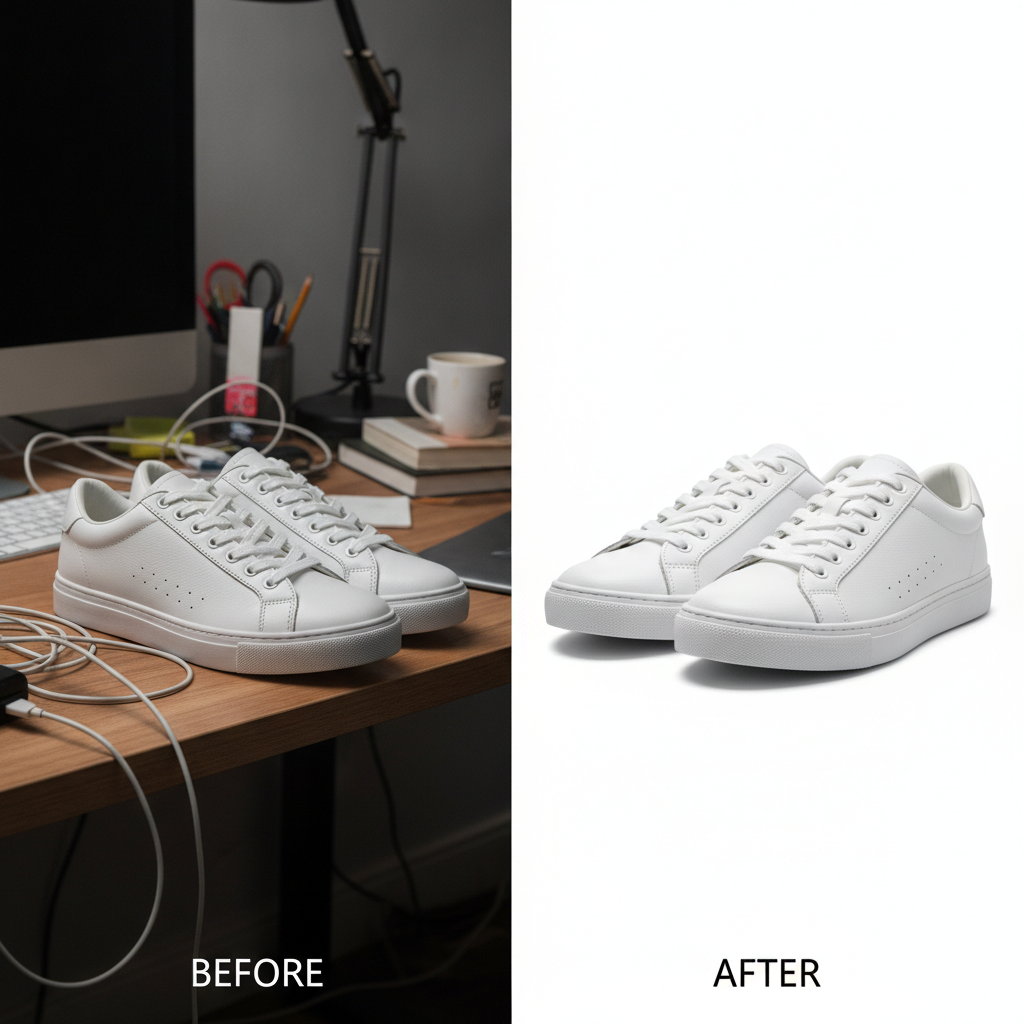
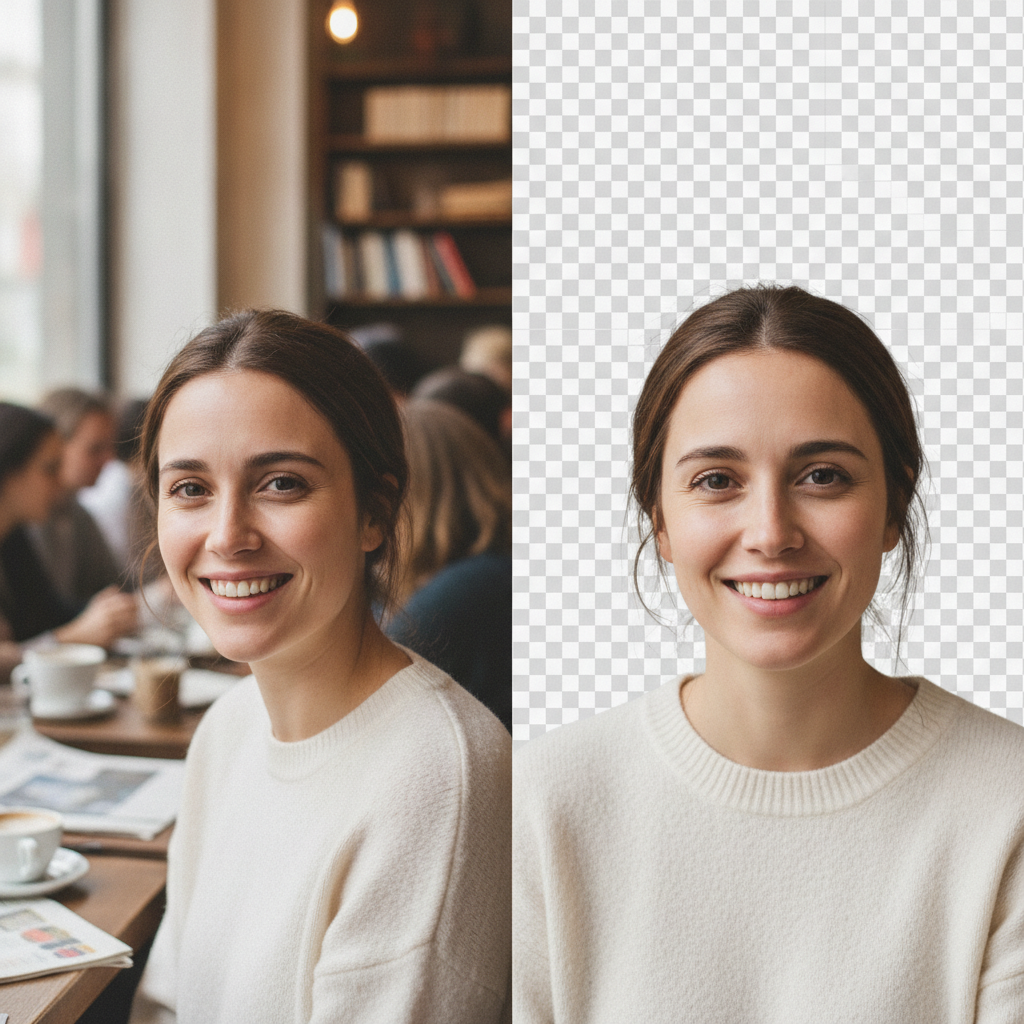
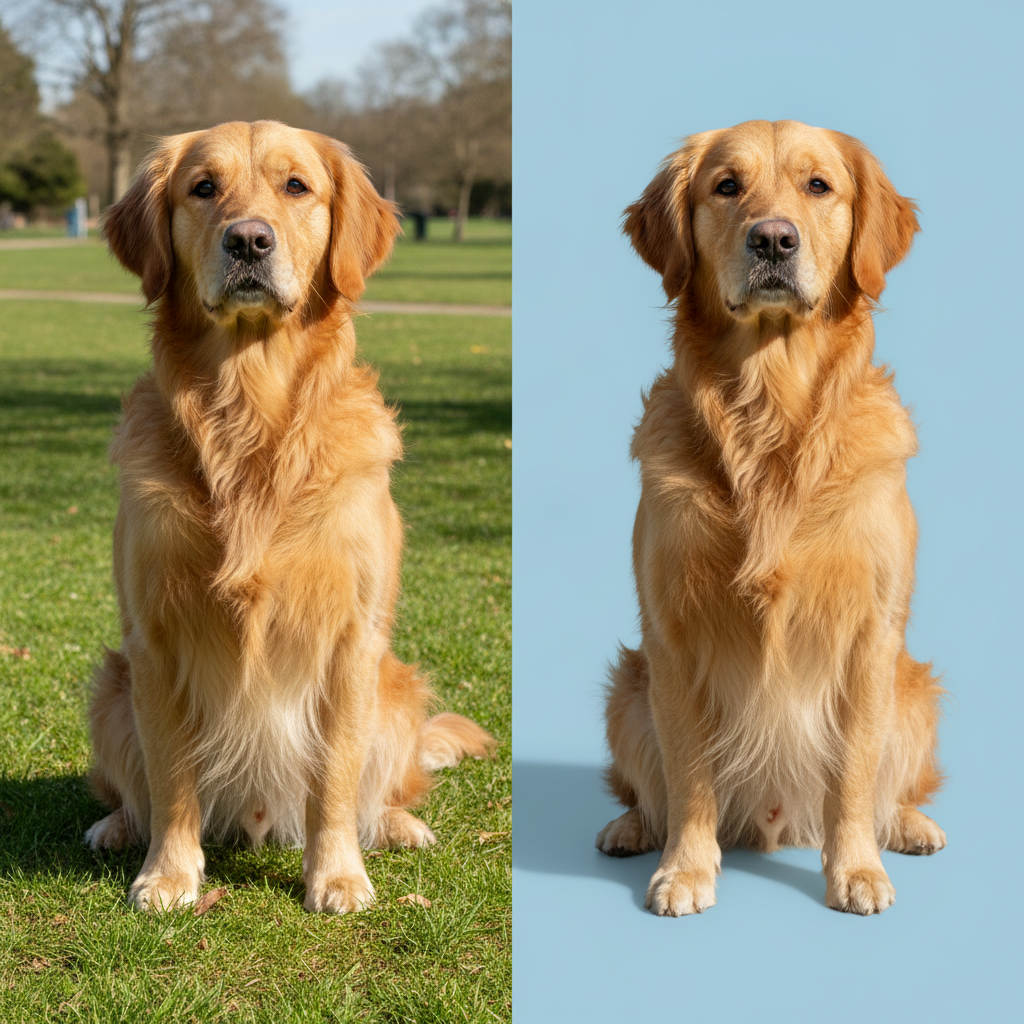

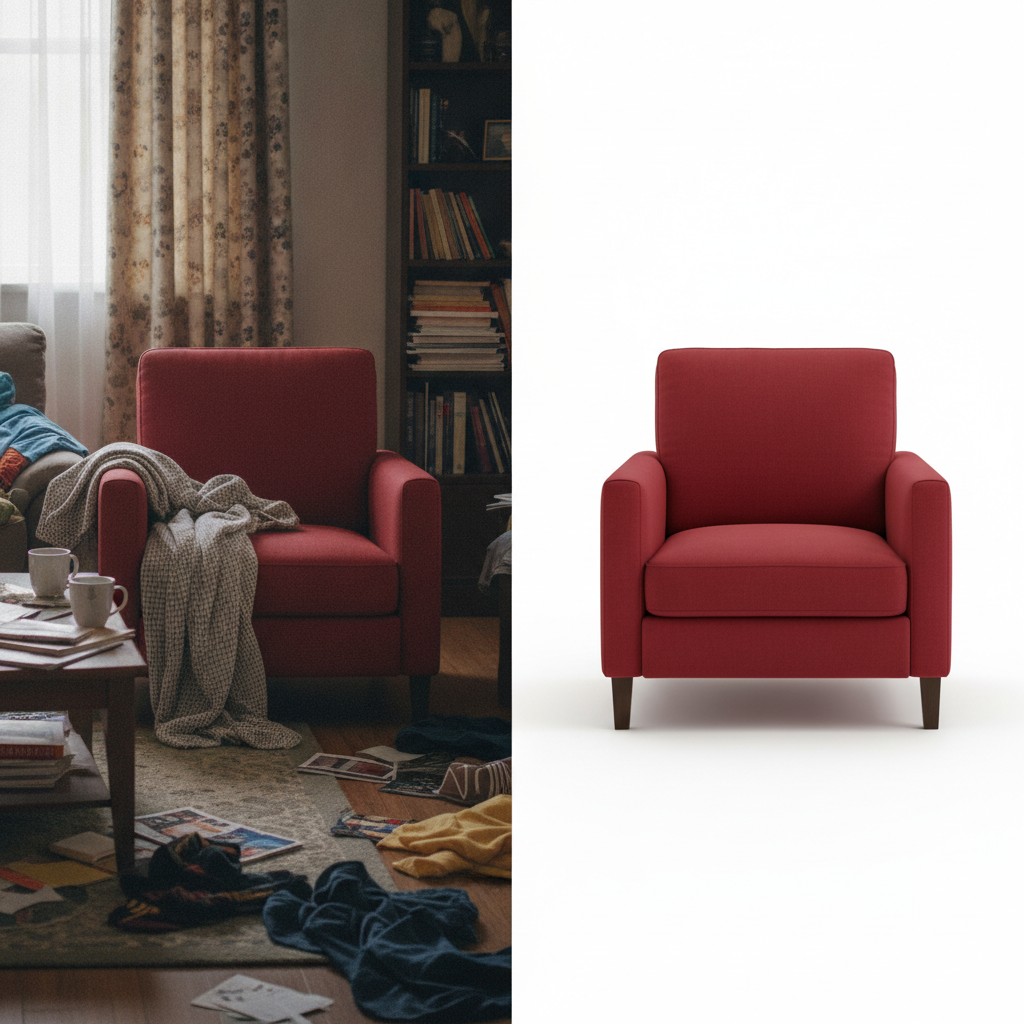
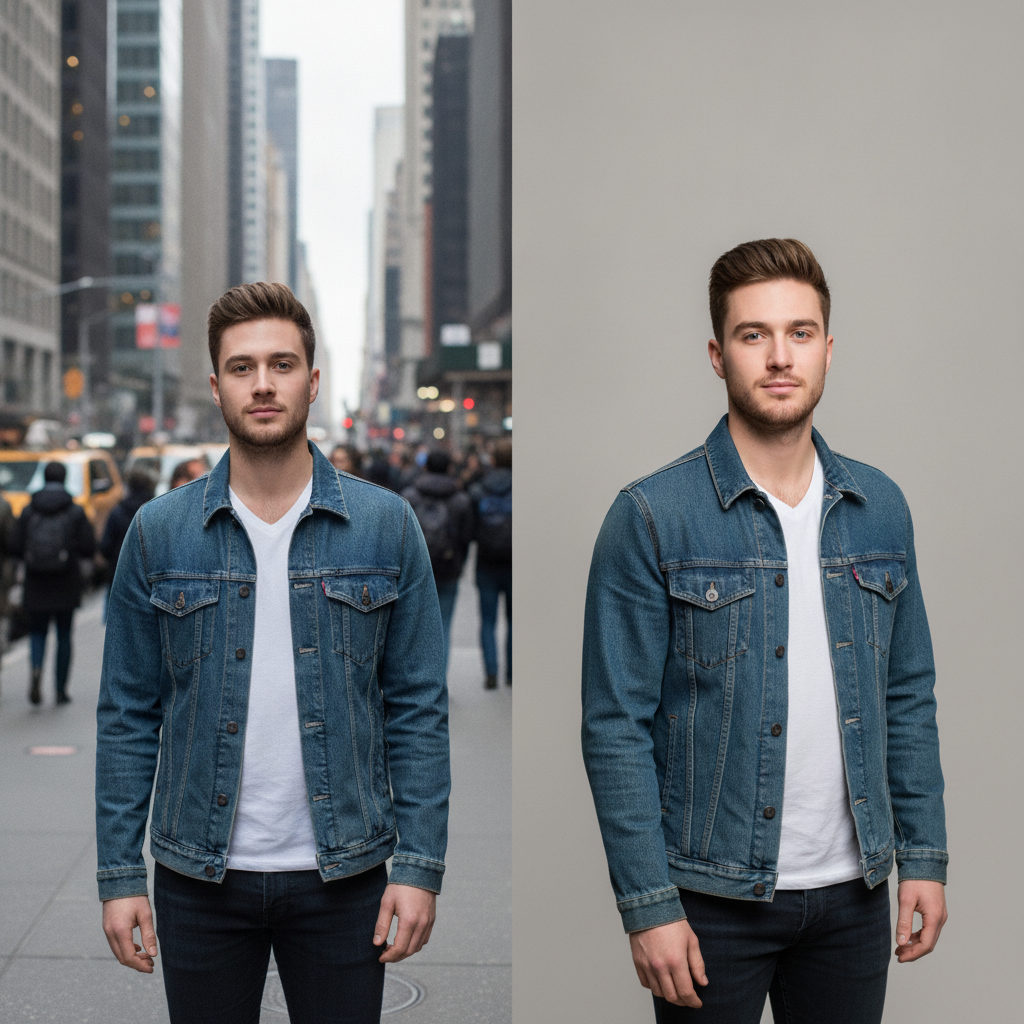
How to Remove the Background From an Image in Three Steps
From a busy snapshot to a clean cutout you can drop anywhere
Upload the Image
Drop in your photo at the highest resolution you have — JPEG, PNG, WebP or phone HEIC are all fine. The cleaner the original, the cleaner the edge the tool can trace, so feed it the full-size file rather than a screenshot or a messaging-app copy. One image at a time, and no account is needed to try your first cutout.
Choose the Backdrop
Pick where the subject should land — transparent PNG for layering, pure white for a product listing, a solid studio color for marketing, or a portrait and pet preset tuned for soft hair and fur edges. If more than one subject is in the frame, name the one to keep in the details box so the tool knows exactly what to isolate.
Generate and Download
Your cutout comes back in roughly ten seconds at up to 4K, watermark-free and cleared for commercial use. Zoom into the edges before you ship it — hair and fur against a similar-colored background are the hardest case and occasionally need a second pass. Not happy? Describe the subject more precisely and run it again.
Why This Tool to Remove Background From Image Wins at the Edges
Six reasons the cutout holds up when you zoom in to 100%
Real Hair and Fur Edges
The giveaway of a bad cutout is the hairline: a hard outline where soft strands used to be, or a bright halo of the old background clinging to the edge. Because the model understands where the subject genuinely ends rather than tracing a crude outline, flyaway hairs, pet fur, loose threads and the fuzz on a knitted jumper survive the extraction instead of being chopped into a flat silhouette.
Transparent, White or Any Color
A cutout is only useful if it lands where you need it. Export a transparent PNG to layer over a design, a pure white backdrop for a marketplace listing that enforces one, a solid brand color for an ad, or a soft studio gray for a portrait. The same upload can go to any of them, so you are not re-doing the removal every time the destination changes.
Built for Product Listings
Marketplaces like Amazon, Etsy and Shopify reward — or require — a clean, consistent background, and a shelf full of products shot in different rooms looks amateur. This tool strips each one to the same white or transparent base with a soft contact shadow, keeping color, texture and proportions exact, so an entire catalogue reads as one coherent set rather than a pile of snapshots.
The Subject Stays Untouched
Removing a background should change one thing — the background. Every preset is written to leave the subject exactly as photographed: no recoloring, no reshaping, no quiet beauty-filter smoothing on a face, no shift in a product’s true color that would leave a buyer disappointed. You get back what your camera saw, standing on a cleaner floor.
4K Output, No Watermark
Cutouts export at up to 4K with no watermark and full commercial rights. That matters more here than for most tools, because a downscaled export hides rough edges by hiding all detail, then falls apart the instant the image is used full-size on a listing page, a printed flyer or a billboard. You keep the resolution you uploaded, edges and all.
Free to Start, $9.98 to Scale
Remove the background from your first images free, with no credit card, on your own difficult photos rather than a demo chosen to flatter the tool. Paid plans start at $9.98 when the volume arrives — a product catalogue, a batch of team headshots, a seller’s full inventory. That is well under an hour of a retoucher’s time, with no per-image fee stacking up behind it.
Frequently Asked Questions
Common questions about removing the background from an image
Get a Clean Cutout in Seconds
Remove the background from any image — people, products, pets or logos — with real hair-strand edges and your choice of transparent, white or color backdrop. 4K, watermark-free, powered by Nano Banana Pro. Free to start, plans from $9.98.
Remove Background From Image Without the Edge Halo
Almost everyone who edits photos has hit the same wall. You have a great shot of a product, a person or a pet, and all you want is to lift it off its background and put it somewhere cleaner — a white listing page, a slide, a thumbnail, a brand-colored ad. The body of the subject is easy. The edges are where it falls apart: a manual lasso leaves a hard cardboard outline, and a one-click eraser hands back a halo of the old background still clinging to the hair. The job that should take ten seconds turns into twenty minutes of zooming in and refining a mask by hand. This tool to remove background from image exists to make that whole chore disappear.
The difference is that Nano Banana Pro understands the scene rather than chasing color contrast. It knows the difference between a strand of hair and the wall behind it even when they are nearly the same shade, so flyaway hairs, pet fur, loose threads and the fuzzy outline of a knitted jumper survive the cutout instead of being sliced into a flat silhouette. It handles the awkward cases that break simpler erasers — transparent glass, glossy metal, chain-link, foliage — by reconstructing the edge cleanly rather than guessing at a single hard line.
One Upload, Any Destination
A cutout is only worth anything if it lands where you need it, so this tool does not stop at a transparent PNG. The same upload can go onto a seamless white background for a marketplace that enforces one, a solid brand color for an advertisement, a soft studio gray for a professional headshot, or stay transparent to layer over a design. E-commerce sellers lean on it to strip a whole inventory to one consistent backdrop so a shop shot across a dozen rooms reads as a single coherent set. Designers use it to pull a person or object out of a stock photo and drop it into a composition. Pet owners use it for clean portraits, and job seekers use it to turn a casual snapshot into a headshot on a neutral backdrop.
Start free with no account: remove the background from your first images, judge the edges at full zoom on your own difficult photos, and only move to a paid plan from $9.98 when the volume justifies it — a catalogue, a team of headshots, a seller's full inventory. Everything exports at up to 4K, watermark-free and cleared for commercial use, which is the part that matters, because a cutout that only looks clean at thumbnail size is no cutout at all. If an edge comes back soft against a tricky background, name the subject more precisely and generate again — each pass reinterprets the image rather than repeating the last result.