
AI Putting Green Design Generator
A backyard putting green is sold as an offcut of turf on a counter and installed as a permanent earthwork in your garden, and nothing in between tells you how it will look. This AI putting green design generator turns a description into a green photographed in a real garden in about thirty seconds — an undulating green with a sand bunker, a compact green beside a sandstone patio, a terraced green cut into a slope, a minimalist green crossed by concrete pavers, a narrow side-return green against a timber deck and a curving green lit at dusk.
Design a Putting Green FreeTry the AI Putting Green Design Generator — Free
Pick a build, then use the box for what is specific to your garden — the length and width in metres, how many holes, where the ground rises or falls, what holds the edges, and what the green sits against. Each preset already carries the camera height, the worn-in detail that stops new synthetic turf looking printed, and the itemised ban on flags, balls, markers and stamped fittings that produced the six pictures below.
AI Putting Green Design Generator
Choose a build, name your size, your contours and your edging, and get a photorealistic backyard putting green in a real garden. Up to 4K.
Six Greens From the AI Putting Green Design Generator, Shown Exactly As They Came Back
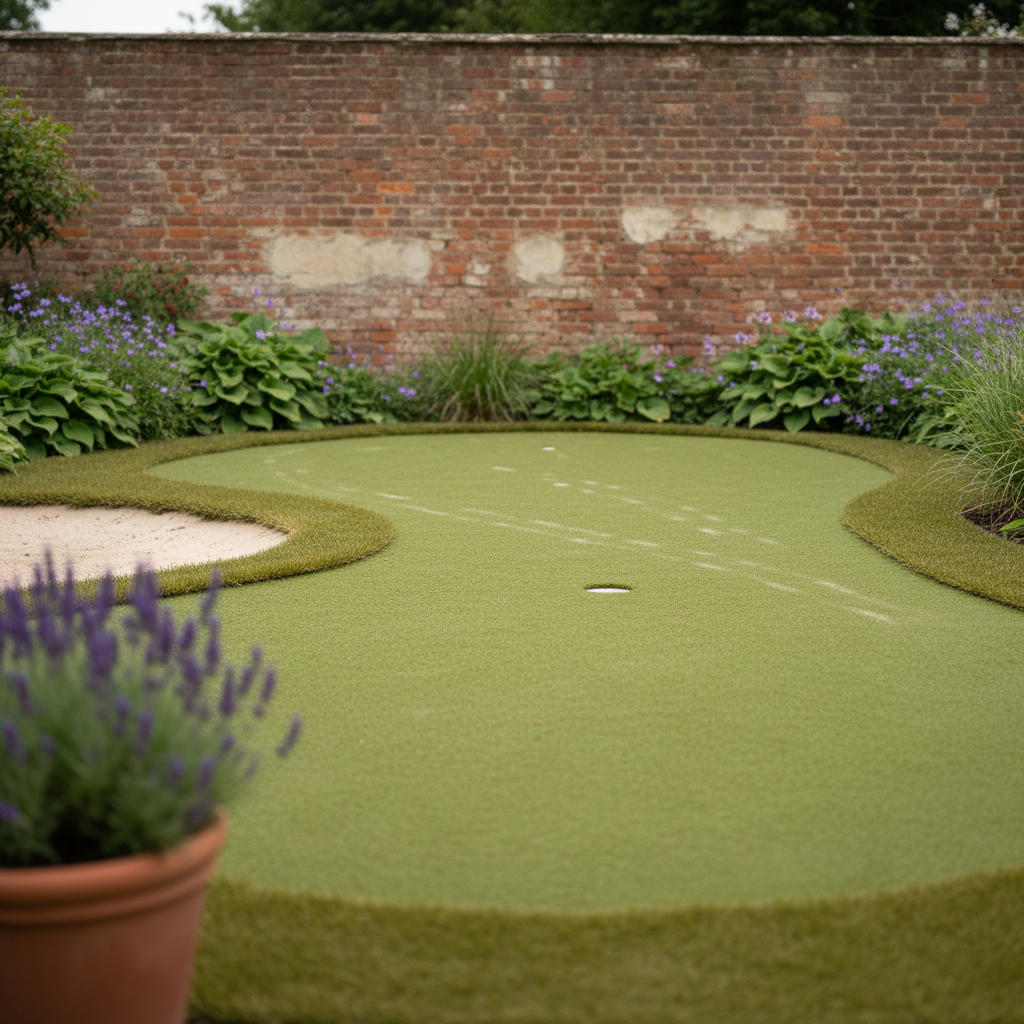
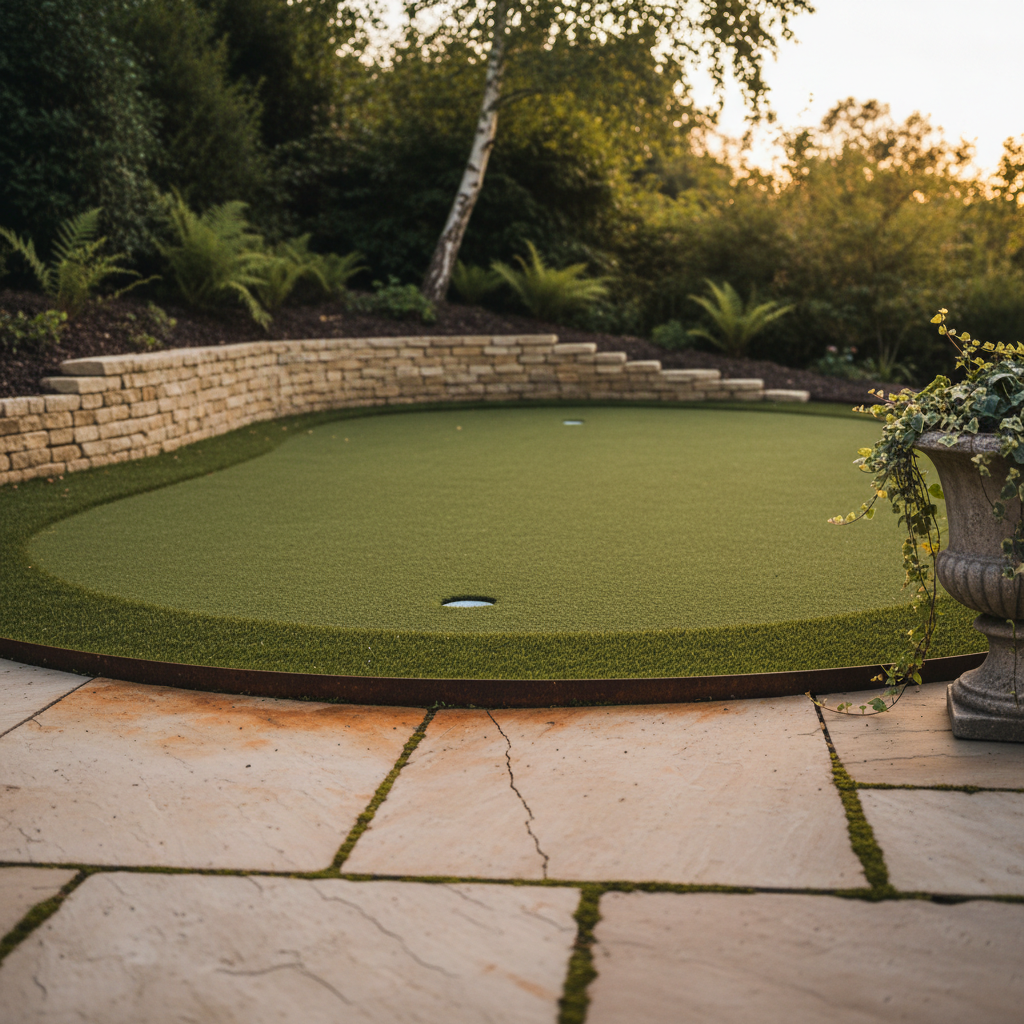
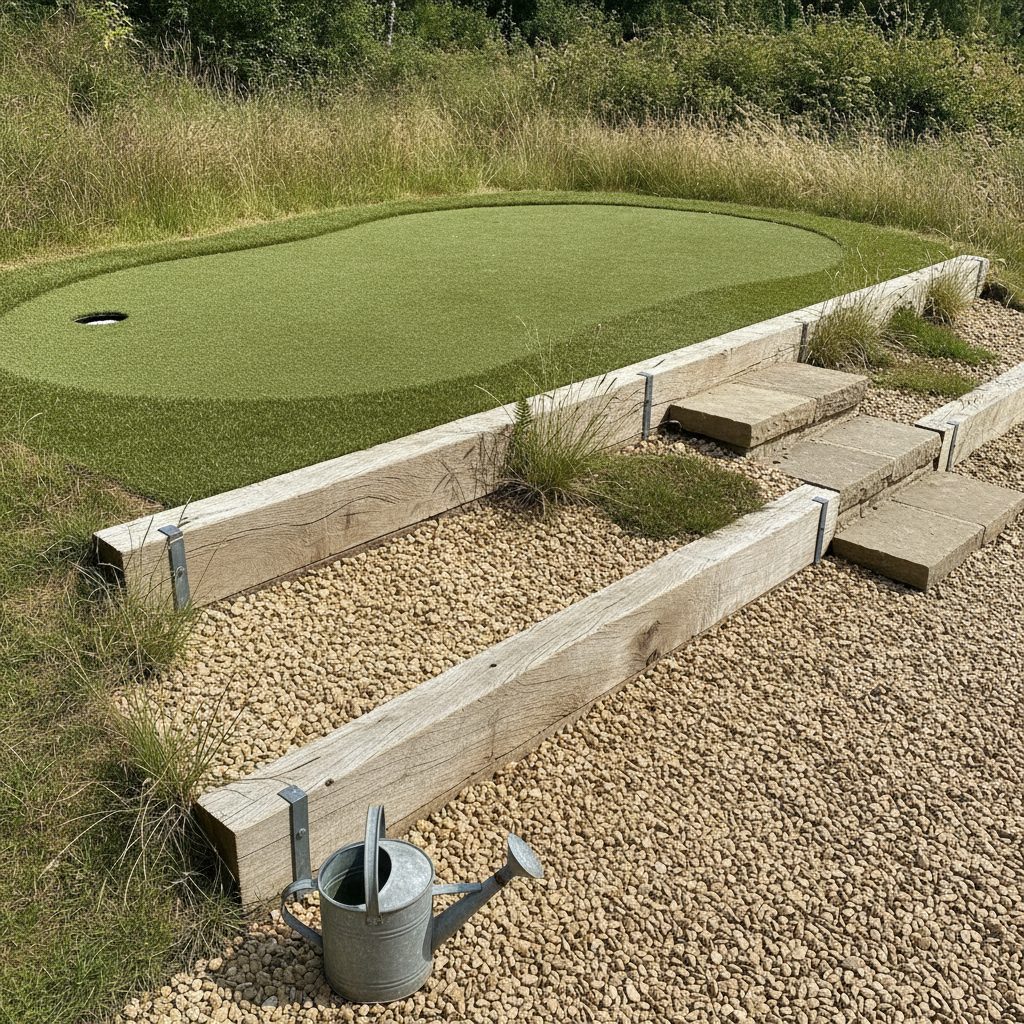
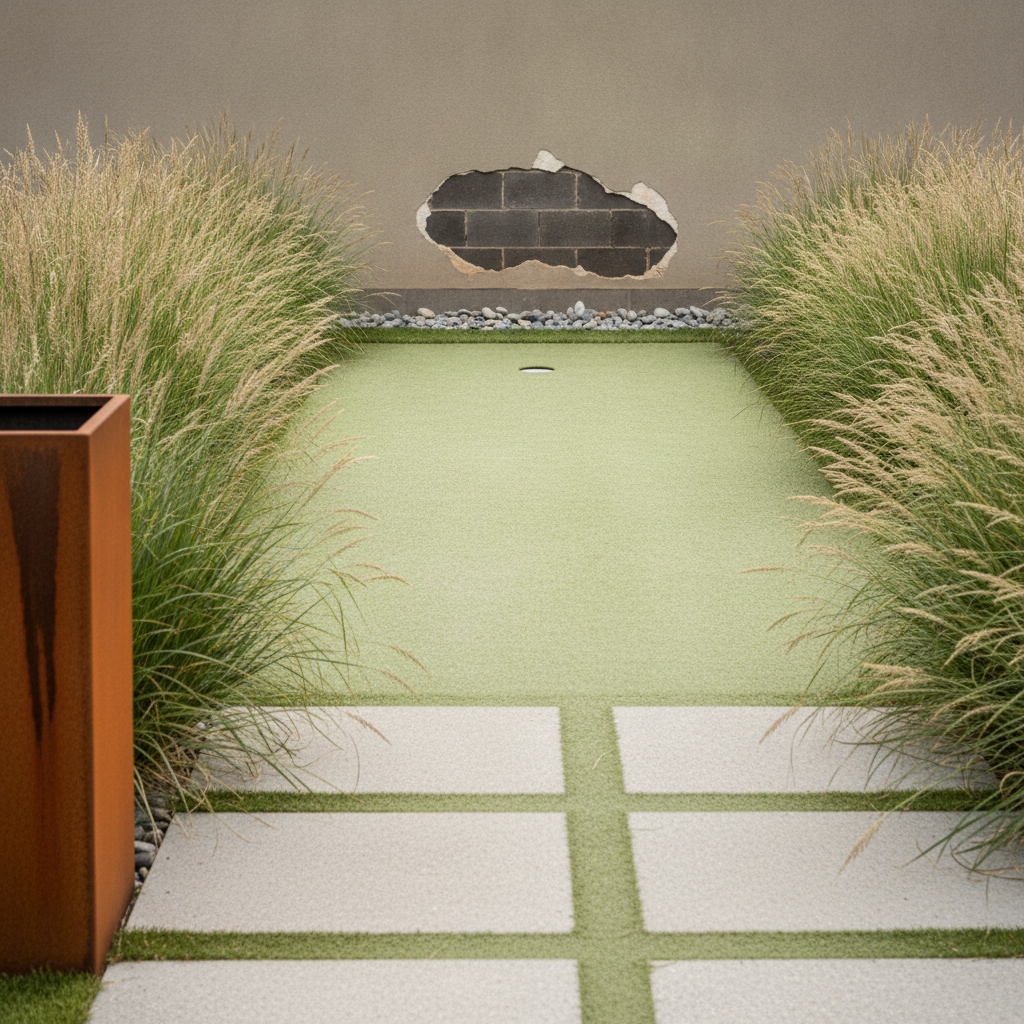
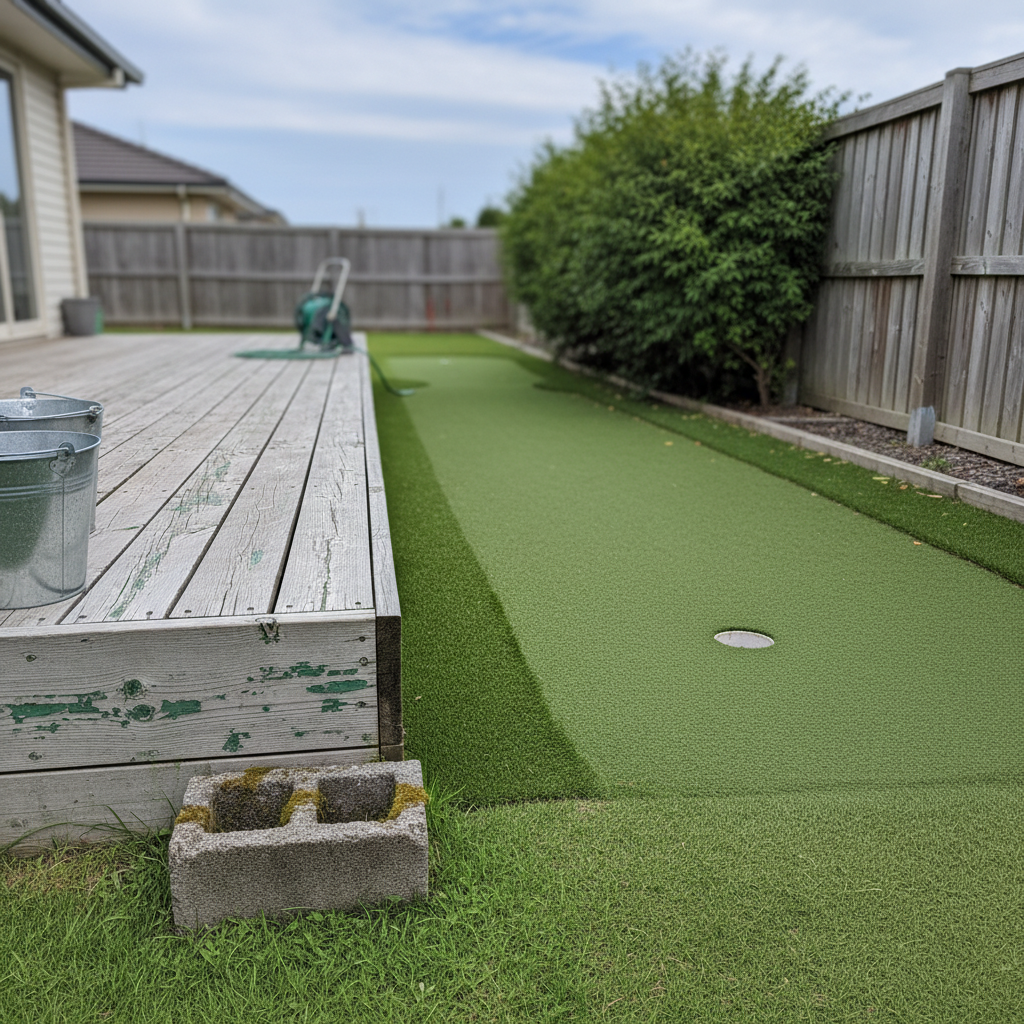
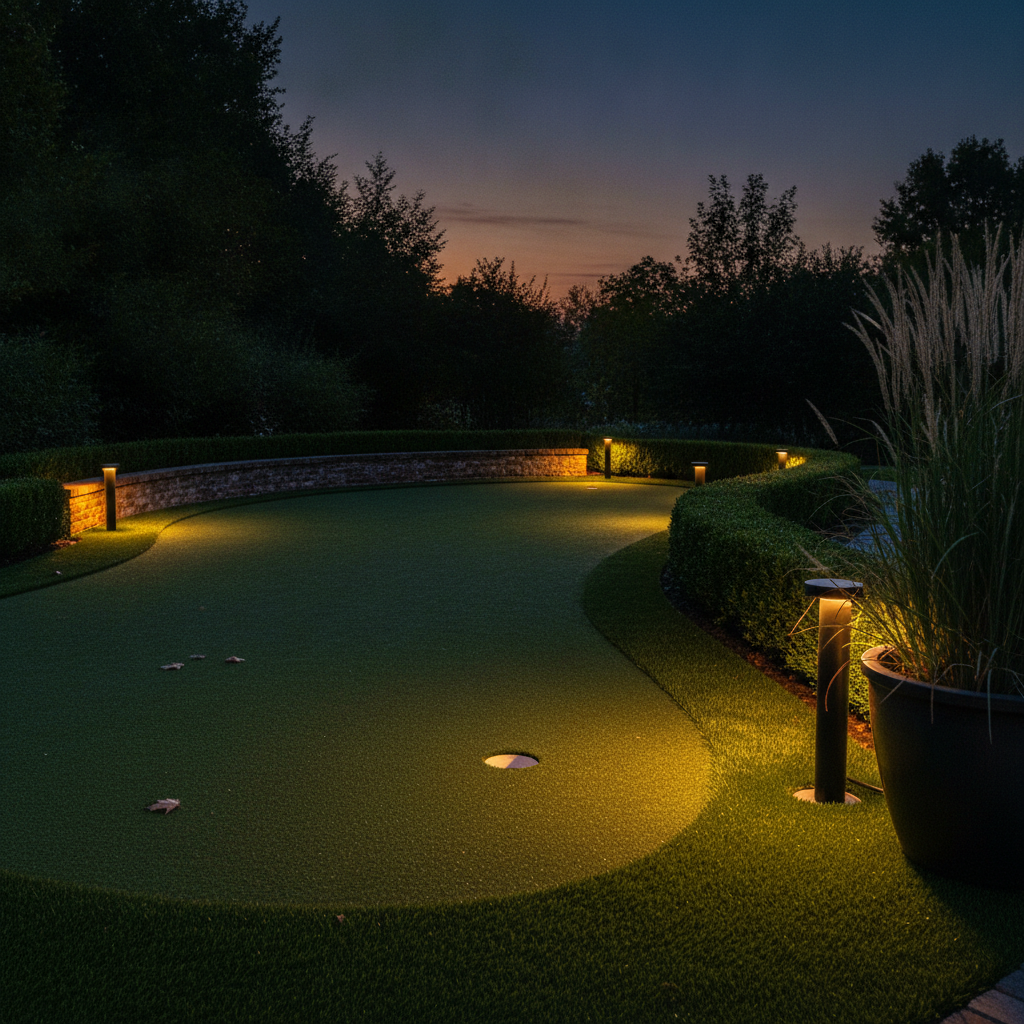
Nothing here was retouched and nothing was run twice. The captions say what the prompt asked for, what arrived and what drifted — the rust that bled from the edging exactly as described, the three bollard lights that turned into six, the line of pavers that came back as a grid and the one frame where the camera climbed off the ground.
What the AI Putting Green Design Generator Gets Right and Wrong
A green is a horizontal plane of uniform texture, a shaped landform and a sports object whose every accessory carries printing. Almost everything learned from this run comes out of those three facts.
Removing the flag and the ball is what keeps the pictures clean
All six frames are free of invented lettering, checked at full zoom on the galvanised bracket plates and on the lit bollard — two carriers that have produced garbled glyphs on earlier pages in this series. A green is unusually dangerous that way, because a flag carries a hole number, a ball carries a brand name and a marker carries a plate, and anything defined by its printing comes back with writing on it however firmly the writing is banned. Banning the objects outright is the fix, and the hole and the fringe say everything the props would have.
The camera stays down on one ground plane and climbs on a terrace
Five of six frames held standing eye level on a subject that is nothing but horizontal surface, using a camera height stated in centimetres, the far edge of the green described as sitting level with the lens, and a solid object in the immediate foreground cut by the bottom of the frame. The frame that failed is the terraced one. Two large surfaces at different levels appear to need height to be shown at all, so if your green is stepped into a slope, expect to fight the lens or to accept a raised viewpoint.
Naming positions fixes a scatter and does nothing for uprights
The dusk frame tested both in one picture. Fallen leaves asked for as three together near the left edge and one alone further back arrived as exactly that kind of loose scatter. Bollard lights asked for as one alone on the left and two together much further back arrived as five or six, evenly spaced along the edge. Small flat things lying on a surface will go where you put them. A row of repeated uprights is set by what the scene looks like it needs, and the count you give is ignored.
A line of repeated units becomes a grid, again
The pavers crossing the minimalist green were specified as a line, each one sitting on top of the turf with its own thin shadow, the nearest close to the camera and the furthest disappearing behind the grasses. What came back is a flush grid of pavers set into the turf with green joints running between them, losing both the line and the shadow. Repeated identical units on a plane fall into a lattice, and a paver laid proud loses to the overwhelming prior that paving is laid flush.
A soft-edged patch finally works, and lands in the wrong place
Blown render has come back as hard-edged rectangles reading as filler smears on every previous attempt. Written as a patch whose every edge is soft and blurred and drifts into the surface around it, with no straight edge and no hard boundary, it arrived genuinely torn. The wording is now proved. What it does not fix is plausibility: the patch floats alone in the middle of a wall with tidy blockwork inside it, so say where damage starts as well as what its edge looks like.
Wear between two named objects beats any request for a weathered finish
The rust bleeding from a steel edging strip onto the pale sandstone immediately beside it is the most convincing detail on this page, and it is the second page running that exact pairing has worked. Old paint surviving only down in the grain of the deck boards is the fifth. Both are transfers between two named objects in a named place. The looser asks in the same prompts — a slightly uneven turf colour, a damp patch that stays in one corner — barely registered at all.
How It Works
Pick the build
Six presets: an undulating kidney-shaped green with a raked sand bunker, a compact oval green held by a dry-stone wall beside a sandstone patio, a terraced green cut into a slope with oak sleepers and pea gravel, a minimalist rectangular green crossed by sawn concrete pavers, a narrow side-return green against a weathered timber deck, and a curving green lit by bollards at dusk. Each already carries the camera height, the wear and the text ban.
Add your size, your contours and your surround
Put the specifics in the box: the length and width in metres, how many holes and roughly where, whether the ground rises across the middle or dips in a hollow, whether there is a fringe of longer turf or a chipping area, what holds the edges — steel strip, sleeper, brick, dry-stone wall, nothing at all — and above all what the green sits against. The surround is what gives a green its scale.
Check it, then download
About thirty seconds later you have a green. Before you judge it, check three things on a zoomed crop: has the camera stayed on the ground or crept up into a plan view, does the turf actually do what you asked across its run, and has anything written or stamped appeared on an edging strip, a light or a fixing. Then download at up to 4K.
Writing a Prompt That Produces a Believable Putting Green
Four habits that separate a green worth showing an installer from one you regenerate, all learned from the six results above.
Keep the camera on the ground
A green is a horizontal surface of uniform texture, which is the exact combination that pulls this model up into a plan view. Two things hold the lens down: a stated height in centimetres with the far edge of the green described as sitting level with the lens, and something solid in the immediate foreground — a pot, a planter, a block — that is cut by the bottom edge of the frame, because that crop is only possible from a low camera.
Ban the flag and the ball as objects
Anything defined by its printing comes back with invented lettering on it, and a flag with a hole number and a ball with a brand name are the two worst offenders a green can contain. Asking for a blank flag does not work; removing the flag does. The hole, the cup liner and the fringe are enough to say what the surface is, and the picture is cleaner without the props.
Describe landform, not golf
A tier, a false front, a double break and a two percent fall are green-keeping vocabulary and come back as nothing in particular. Say what the ground does and where: a shallow rise running across the middle so the far half sits higher than the near half, or a hollow in the middle of the run that dips and rises again. Plain description of the surface lands; the terms of art do not.
Let something organic cross the turf
Clean synthetic turf in a clean shape against flat walls is the most render-like subject on this site. What rescues it is irregular, living material breaking the outline: planting spilling over the fringe, a shrub hanging across the edge, leaves on the surface, sand kicked out of a bunker onto the turf. Name those crossings explicitly and name where they happen.
Who Uses an AI Putting Green Design Generator
Golfers planning a green at home
A backyard green is a five-figure earthwork decided from a sample of turf and a few photographs of somebody else's garden. Generating your own shape, your own surround and your own light takes ten minutes and answers the only question that matters, which is whether the thing will look like part of the garden or like a carpet rolled out on it.
Synthetic turf installers quoting work
Customers cannot read a layout drawing of a green, because a green on paper is an outline and nothing else. A photograph of the proposed shape at eye level, with the fringe, the edging and the planting around it, settles the conversation about size before anybody orders turf. Just do not read the picture as a setting-out drawing.
Landscape designers with a sports brief
A green has to be sold to the rest of the household as much as to the player, and that is a visual argument. Showing the same green with a bunker and without it, or softened by deep borders rather than ringed by a hard edge, usually does more for a scheme than another page of plan.
Anyone with a slope and an awkward garden
The two hardest questions are whether a green can be terraced into a slope and whether a narrow side return is wide enough to be worth it. Both are far easier to judge from a photograph at standing height than from a measurement, and both have a preset here.
Short-game practice at home
Deciding between a flat true green for pure putting and a contoured one with a chipping fringe is the real decision, and the contours are exactly what nobody can picture. Generating a shallow rise across the middle and a hollow along the run shows how much break a small garden green can actually carry.
Holiday lets and small hospitality venues
A putting green is a listing photograph as much as a surface, and lighting it changes the picture completely. The dusk build exists for that: the same green with bollard lighting in the planting reads as an evening amenity rather than a patch of turf.
AI Putting Green Design Generator FAQ
Related Design Tools
AI Backyard Design Generator
Generate the whole garden before you commit a third of it to turf. A green takes up more of a small backyard than anyone expects, and seeing it against the rest of the layout is the cheapest way to find that out.
AI Garden Path Design Generator
The route to the green, in the same horizontal-plane camera problem and with the same fix. The page where the stated camera height and the cut foreground object were first proved on a patterned ground surface.
AI Patio Design Generator
What most greens are seen from. Worth generating alongside, because the patio material sets the edge the turf has to meet and decides whether the green reads as part of the garden.
See the Green Before You Move a Cubic Metre of Soil
Six builds — an undulating green with a sand bunker, a compact green beside a sandstone patio, a terraced green on a slope, a minimalist green crossed by concrete pavers, a side-return green against a timber deck and a curving green lit at dusk — each photographed at your size, on your ground, in your light, in about thirty seconds. Up to 4K. Free to start, from $2.99.
Design a Putting Green FreeAn AI Putting Green Design Generator for Shapes, Contours and Surrounds You Can Actually See
A backyard putting green is one of the few garden projects that is both a serious earthwork and a complete unknown. It is chosen from a square of synthetic turf on a trade counter, specified in pile heights and stimp numbers that mean nothing to anyone outside the trade, and then installed as a permanent shape that will dominate a third of a small garden for fifteen years. The gap between the sample and the finished thing is where the regret lives, and it is the gap an AI putting green design generator fills. Describe the shape, the size, the contours, the fringe, the edging and what the green sits against, and about thirty seconds later you have a photograph of it there. Every preset on this page is written that way, and the six results above are published exactly as they came back, drifts included.
The six builds cover the situations people are actually in. An undulating kidney-shaped green with a band of longer fringe turf and a raked sand bunker, set in deep borders against an old brick wall. A compact oval green beside a sandstone patio, held at the back by a low dry-stone limestone wall. A terraced green cut into a slope with silvered oak sleepers and a pea gravel level below it. A minimalist rectangle crossed by large sawn concrete pavers between beds of ornamental grasses. A narrow side-return green running along the flank of a house beside a weathered timber deck. And a curving green at dusk, lit by bollards standing in the planting. Between them they cover flat and contoured, formal and informal, and the full range from a weekend of turf laying to a job that needs a digger.
A green turns out to be a demanding subject for an image model for two specific reasons. The first is the camera: a green is a horizontal plane of uniform texture, which is the strongest pull this model has towards an overhead view, and the fix is a stated camera height in centimetres, the far edge described as sitting level with the lens, and a solid object in the immediate foreground that is cut by the bottom of the frame. The second is the props. Every accessory a green carries in real life is defined by its printing — the number on the flag, the brand on the ball, the plate on the marker — and objects defined by their markings reliably come back with garbled invented lettering. The answer that works across this whole series is to remove the object rather than to ask for a blank one.
The rest is detail that any turf prompt will benefit from. Contours should be described as landform and never in the vocabulary of green-keeping. Wear should be pinned to a named place — a paler worn line along the walking route, damp that stays in one corner, sand kicked out of the bunker onto the fringe — because a general request for a weathered finish is ignored. And something irregular and living should always cross the turf, since clean repeated geometry against flat surfaces is what makes a picture read as a render. Within those limits an AI putting green design generator is a genuinely good way to spend twenty minutes before you commit a third of your garden to a shape you cannot undo.